
There are three ways to open a driveway gate from a Cybertruck. Only one does it without any button press. Here is what each method does, where it breaks down, and when it makes sense.
Why Driveway Gates Are a Different Problem Than Garages
A garage door can wait until you are in the driveway. Press the button at 20 feet and you still clear it. Driveway gates need to be moving before you get there — typically when you are 200-300 feet out, at the street or just past it.
That timing gap is where every standard access method runs into trouble. HomeLink fires when you press a button. Tesla’s geofence fires based on GPS proximity, but the timing is set for garages. Neither is designed around the longer approach a driveway gate requires.
The six HomeLink alternatives for driveway gates cover this problem across the full range of solutions. For Cybertruck owners, three of those options are the realistic starting points.
Option 1: Built-In HomeLink
Most production Cybertrucks ship with HomeLink under Controls > HomeLink on the touchscreen. Availability has varied by trim level and production date — if the option isn’t in the menu, aftermarket retrofit modules exist for Tesla vehicles, though verifying compatibility with a specific build is worth doing first.
Programming follows the standard two-step rolling-code sequence for openers like LiftMaster Security+ 2.0 and FAAC, and a single-step process for older fixed-code receivers. The Cybertruck’s stainless steel exoskeleton raised early concerns about RF signal blocking, but HomeLink transmits forward through the windshield, not through the body panels. Cybertruck HomeLink gate setup covers the programming process and the stainless steel question in full.
What doesn’t work: HomeLink is manual. The driver presses a button when within RF range — typically 50-100 feet from the gate. For a driveway gate set at the property line, that often means stopping on the approach road, pressing the button, and waiting for the gate to open. No pre-trigger at 200 feet. No hands-free arrival.
Option 2: Tesla’s Built-In Auto-Open Geofence
Tesla’s Auto-Open feature triggers a gate opener using the vehicle’s GPS position. When the car enters the configured geofence radius, the system fires an open command. On paper, this is hands-free.
For myQ-connected garage door openers set up through the Tesla vehicle profile, it works reliably. For standalone driveway gates, it doesn’t. Why Tesla’s geofence doesn’t work for driveway gates explains the timing problem in detail: the geofence is calibrated for the shorter distances of garage access, so it fires when the car is in the wrong position relative to the gate — too close, too far, or at an angle that doesn’t give the gate enough time to open.
What doesn’t work: Requires a myQ-compatible opener and a specific home profile setup. Even then, timing is inconsistent on most driveway layouts. For a gate at 200+ feet from the road, the trigger fires too late for smooth entry.
Option 3: GPS Auto-Open Tag
A GPS auto-open system flips the architecture. Instead of asking the car’s software to trigger the gate, a small tag mounted on the windshield communicates directly with a hub wired to the gate’s control board. When the tag enters a configured radius — typically 300 feet — the hub sends a momentary signal to the gate’s dry contact input and the gate starts moving. No button press. No internet. No subscription.
The dry contact input is the universal trigger point on gate operators. The same terminals a keypad or loop detector uses. Any opener that has one — LiftMaster, Nice Apollo, FAAC, DoorKing, Mighty Mule — is compatible without special firmware or smart-home integration.
This is the category Proxly is building for. The system is pre-launch. If a 300-foot hands-free open is the setup you want, the early-access list is at getproxly.com/beta.
What requires setup: The hub needs to be wired to the gate operator and powered. The tag goes on the windshield. It is a hardware installation, not a software setting.
Side-by-Side
| HomeLink | Tesla Geofence | GPS Auto-Open | |
|---|---|---|---|
| Button required | Yes | No | No |
| Trigger range | ~100 ft | ~300 ft (GPS) | ~300 ft |
| Works with any opener | Most with RF input | myQ only | Any with dry contact |
| Internet required | No | Yes | No |
| Subscription | No | No | No |
For a short driveway or a gate close to the street, HomeLink is the simplest path — and it works. For a longer driveway or the goal of never pressing a button, the GPS auto-open category is the right approach.
The driveway gate glossary defines the terms in the table above — dry contact, rolling code, and geofence — if any of them need unpacking.
Reference
Frequently asked questions
- Most production Cybertrucks include HomeLink under Controls > HomeLink on the touchscreen. Availability has varied by trim and production date. If HomeLink doesn't appear in your menu, aftermarket retrofit modules exist. Once programmed, the gate works like any HomeLink-paired opener.
- Tesla's Auto-Open feature works with myQ-connected garages but is unreliable for standalone driveway gates. The geofence fires based on GPS proximity, but it is calibrated for garage timing, not the 200-300 foot lead time a driveway gate requires.
- HomeLink requires the driver to press a button when within RF range — typically 50-100 feet of the gate. For a driveway gate, that often means stopping before it fully opens. There is no automatic pre-trigger at 200 or 300 feet unless a separate GPS system handles the trigger.
- A GPS auto-open system uses a windshield tag that signals a hub wired to the gate's dry contact input. The hub triggers the gate when the tag reaches a set distance — typically 300 feet. No cloud service, no internet connection, and no subscription required.
- A dry contact is a pair of terminals on the gate control board, usually labeled Open or Trigger, that activate the gate when shorted briefly. Any external device — a GPS hub, a pushbutton, a loop detector — triggers it by closing that circuit for about a half-second.
Does the Cybertruck have built-in HomeLink for a driveway gate?
Does Tesla's built-in Auto-Open geofence work for driveway gates?
What is the main limitation of HomeLink for a driveway gate?
Is there a hands-free driveway gate option that works without internet?
What is a dry contact input on a gate operator?
Keep reading

GMC Hummer EV HomeLink: Driveway Gate Setup and Timing
The Hummer EV weighs 9,063 lbs. Most driveway gates take 15-20 seconds to open. Here's how to program HomeLink and get the approach timing right.
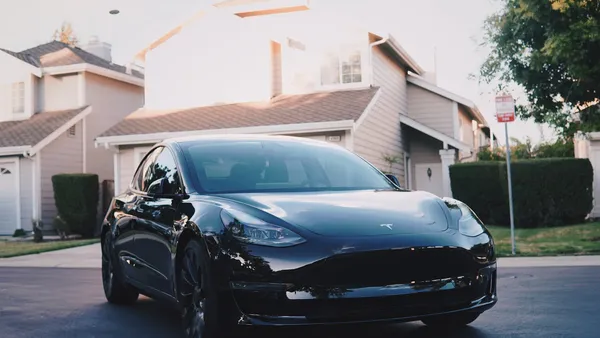
Why Tesla HomeLink Fails on Driveway Gates (And the Fix That Isn't a Better Button)
Tesla HomeLink works reliably on garage doors. Driveway gates are a different problem. Here is what goes wrong and what fixes it.
Volkswagen ID.4 HomeLink: How to Program for a Driveway Gate
The VW ID.4 includes HomeLink in most trims. Pairing it to a driveway gate takes one extra step. Here's the full process for fixed-code and rolling-code openers.