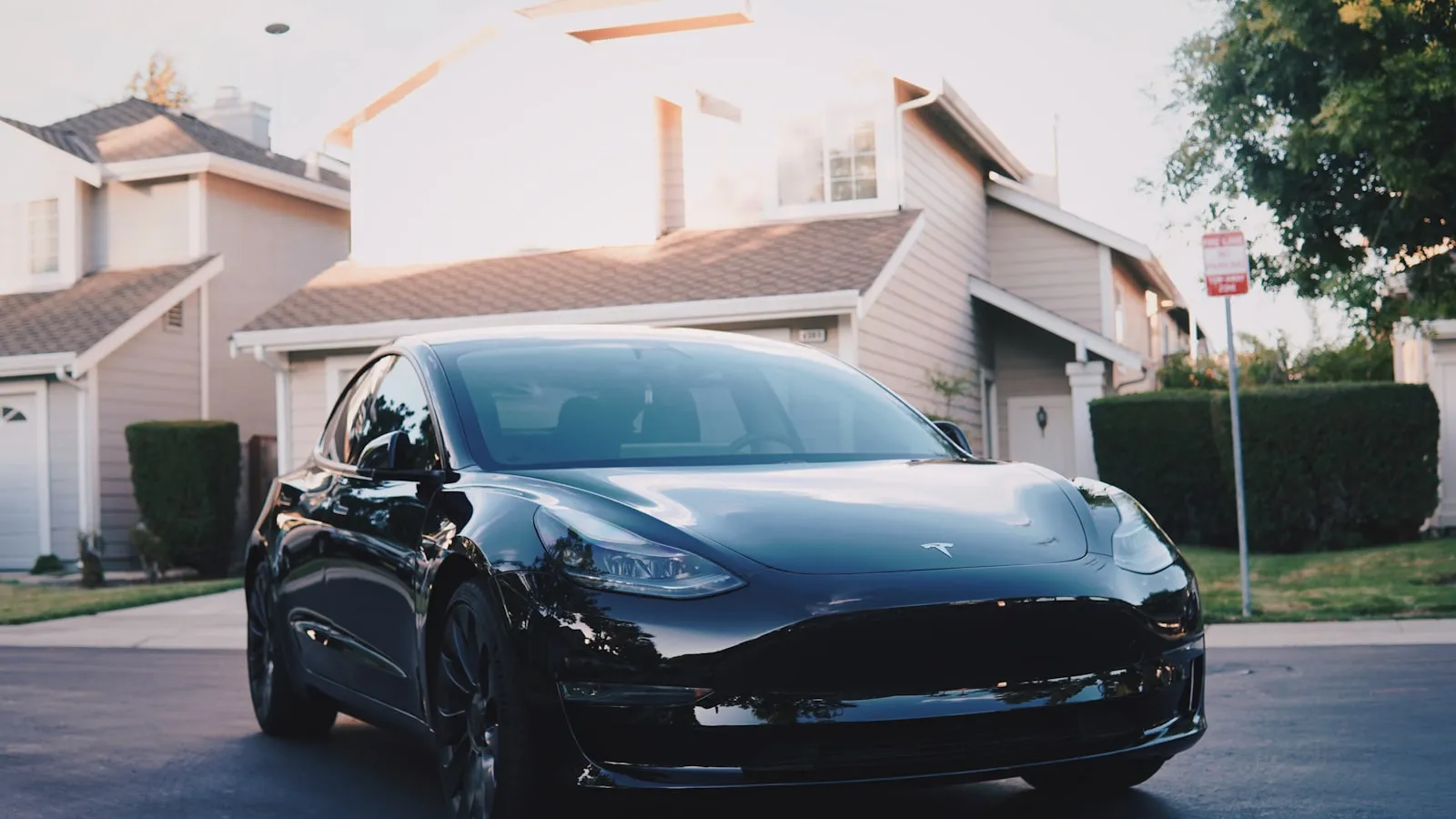
Tesla HomeLink is the same Gentex module installed in Ford, GM, BMW, and dozens of other vehicles. On a garage door, it opens reliably from 15 to 25 feet, with a two-minute programming sequence that rarely fails. On a driveway gate, the same system regularly fails to program at all, or programs correctly and stops working within weeks.
The failure is not a Tesla problem. It is not a HomeLink hardware problem either. It is a consequence of two industries that developed independently, with different protocols, different hardware assumptions, and different typical operating distances. That gap is the diagnosis; the fixes in this article follow from it.
For the general HomeLink programming sequence, HomeLink driveway gate setup covers the step-by-step pairing process for any vehicle. This article covers why that process fails specifically at driveway gates, what each failure mode means, and what the durable fixes look like.
Why Garage Doors and Driveway Gates Are Different Problems
Garage door opener manufacturers unified around HomeLink-compatible protocols starting in the mid-1990s. LiftMaster and Chamberlain led with Security+ and later Security+ 2.0 at 315 MHz. Genie followed with Intellicode at 315 and 390 MHz. The result: nearly any residential garage door opener sold in the last 25 years can train to HomeLink, because those companies designed their LEARN button sequences to interoperate with car-integrated transmitters.
Driveway gate openers developed in a separate market. Nice/Apollo, FAAC, DoorKing, Mighty Mule, and even LiftMaster’s commercial swing-and-slide gate operators sell primarily through gate installation contractors rather than retail channels. Those contractors wire credentials directly — a keypad, a card reader, a loop detector in the pavement — so standardizing on HomeLink-compatible RF protocols was not part of the design requirement.
Two structural differences follow from this history:
Protocol mismatch. Many gate openers accept only wired inputs and have no RF receiver at all. DoorKing’s access control panels are a common example; FAAC configurations using DIP-switch receivers are another. HomeLink transmits RF and expects a trained RF receiver to respond. When the gate operator has no LEARN button, or uses a protocol HomeLink cannot replicate, the pairing fails before it starts.
Operating distance. A garage door opener sits 10 to 25 feet from the car when the button is pressed — inside the structure, with the receiver hanging from the ceiling rail. A driveway gate operator’s control board mounts on a post at the gate line, anywhere from 30 to 150 feet from where the car stops. RF signal strength falls with distance, and metal gate panels between the car’s antenna and the receiver compound the problem significantly.
These two differences explain the large majority of Tesla HomeLink failures at driveway gates.
The Four Failure Modes
1. HomeLink will not program at all
If holding the HomeLink button while pressing the gate opener’s LEARN button produces no response — no LED change, no gate movement — one of three conditions applies:
- The gate opener has no LEARN button (DoorKing 1830 series, many FAAC operators, some Nice/Apollo units with DIP-switch receiver boards)
- The gate opener’s RF receiver uses a proprietary protocol HomeLink cannot replicate
- The gate operator’s LEARN button sequence differs from the residential garage-door convention (some commercial gate operators require a specific hold duration or button order not described in the Tesla owner’s manual)
Check the gate opener manual for a section labeled “remote programming” or “RF receiver setup.” If no such section exists, the opener accepts only wired credentials and HomeLink will never pair to it directly.
The dry-contact relay fix. Most gate control boards include a remote-input or dry-contact terminal pair — two screw terminals labeled “COM” and “NO” (common and normally open), or simply “REMOTE” on some boards. Shorting these two terminals for 500 milliseconds to one second opens the gate, regardless of what signal caused the short. A small wireless relay board, trained to HomeLink’s RF output, wires across those terminals and translates every HomeLink button press into a momentary contact closure.
The relay board itself is a commodity component — typically a 315 or 433 MHz receiver with an onboard relay, available through gate hardware suppliers and online. It trains to HomeLink using the same pairing sequence as any other fixed-code remote. Once wired, protocol compatibility becomes irrelevant: HomeLink presses the relay, the relay closes the terminals, the gate opens.
Gate installers use these routinely when a customer arrives with a vehicle-integrated transmitter that cannot pair directly to the opener. See adding a relay input to a LiftMaster gate operator for a wiring walkthrough — the terminal labeling differs by brand but the approach is identical.
2. Programs correctly, stops working after a few weeks
This is the most common pattern from Tesla owners with driveway gates. HomeLink pairs successfully, works reliably for a week or two, then becomes intermittent before failing entirely.
Rolling-code desynchronization is the most likely cause. Rolling-code gate operators maintain an acceptance window of expected code values. The window advances each time the gate opens via any transmitter — a clicker, a keypad, a phone app. If those other transmitters open the gate on days when HomeLink is not used, HomeLink’s internal counter falls behind the gate’s expected window. Once the divergence is wide enough, the gate stops responding to HomeLink entirely.
The fix is a full delete and retrain. On Tesla’s HomeLink interface, erase the programmed slot and run the rolling-code pairing sequence from the beginning. This resets both counters to the same starting point. The rolling-code programming sequence for LiftMaster and Chamberlain openers covers the sync step that matters here — it applies equally to gate operators using the same Security+ 2.0 protocol.
If desynchronization recurs within a month, the gate’s acceptance window is unusually narrow, or a high-traffic transmitter is advancing the counter daily. In those cases, the dry-contact relay approach described above removes rolling code from the equation entirely.
RF interference is the secondary cause of this pattern. At 20 feet in a garage, HomeLink’s signal overwhelms most interference. At 80 feet through a metal gate, the signal-to-noise ratio is lower. Commercial RF sources from neighboring properties, other gate operators on adjacent sites, or certain LED driver electronics can intermittently corrupt the received code and cause erratic behavior. A pattern of failures correlated with time of day — reliable at 7 a.m., intermittent at 6 p.m. — often points to a time-correlated interference source rather than a hardware defect.
3. Programs and works, but requires multiple button presses
This is a range problem. HomeLink transmits one RF burst per button press. If the receiver is at the edge of its working range, it will catch some transmissions and miss others, producing an erratic open-or-not experience that typically worsens as the gate receiver antenna ages or corrodes.
Confirm range as the cause: stop the car 15 to 20 feet from the gate operator’s control board — the board itself, mounted near the motor housing, not the gate panel — and press HomeLink once. If it opens reliably at that short distance and fails from 80 feet, range is confirmed.
Three fixes, in order of effort:
- Press earlier in the approach. Stop before the gate fills the windshield, when the receiver antenna is still visible and not obscured by the gate panel or the car’s hood. This changes the signal path geometry without any hardware change.
- Extend the gate receiver antenna. The coaxial wire from the control board should run to an external antenna mounted above the motor housing — a straight vertical whip exposed to open air. Many installers leave the antenna wire coiled inside the metal enclosure, which degrades receive sensitivity substantially. Routing the wire outside the housing and mounting it vertically typically doubles or triples effective range.
- Install a higher-gain external antenna. Most gate control boards accept a standard coaxial antenna connector. A longer external whip tuned to the opener’s operating frequency improves receive sensitivity without any change to the HomeLink transmitter.
4. A specific commercial LiftMaster gate operator will not pair
LiftMaster’s commercial swing and slide gate operators — the CSW24UL series and related models — do support Security+ 2.0, which HomeLink is fully compatible with. The pairing procedure on a commercial gate operator differs from a residential garage opener in one key way: the LEARN button timing.
On most residential garage openers, the standard sequence (hold HomeLink button, walk to opener, press LEARN once) works reliably. On LiftMaster commercial gate operators, the LEARN button often requires a specific hold duration to enter programming mode — typically holding until the indicator light changes behavior — after which the HomeLink button must be pressed immediately, within a short window. If the timing is off, the control board exits programming mode before the training sequence completes.
The gate operator’s manual, available for each model on liftmaster.com, contains the exact timing for the specific board. Using the gate-specific timing rather than the garage-opener timing, HomeLink pairs to Security+ 2.0 commercial gate operators without difficulty.
The Troubleshooting Order
Work through these in sequence and stop when the gate works reliably:
- Confirm the gate opener model number from the label on the control board housing.
- Look for a LEARN button on the control board. If there is none, move directly to the relay option.
- Confirm the opener supports rolling-code RF — check the manual section on remote programming. If it supports only wired credentials, move to the relay option.
- Delete the existing HomeLink assignment and retrain from scratch using Tesla’s rolling-code HomeLink sequence.
- Test at 15 to 20 feet from the control board. If it works at close range and fails from distance, address antenna placement before trying anything else.
- Check the receiver antenna routing. A coiled or interior-mounted antenna should be rerouted outside the enclosure and mounted vertically above the motor housing.
- If desynchronization recurs after retraining: install a relay on the dry-contact terminal pair and remove RF protocol compatibility from the equation entirely.
What Tesla Owners Do When HomeLink Isn’t the Right Layer
For the large portion of driveway gates where the troubleshooting above produces a reliable result, HomeLink is a reasonable choice. No subscription, no internet, no app. The gate opens when the button is pressed.
For gates where the opener protocol is incompatible, where the driveway is too long for reliable RF range, or where the button-press workflow itself is the friction — stopping at the gate, locating the button, pressing it, waiting — the alternative is vehicle-paired auto-open: the gate starts moving before the car reaches it, triggered by the vehicle’s approach rather than a button press.
The Premium-EV Arrival Stack covers how that experience works across the broader EV home-arrival workflow. Proxly is building a residential version — a windshield tag and gate hub that opens the gate on approach, without a button press. It is pre-launch. If that direction fits your situation, getproxly.com/beta has the current details.
For drivers whose gate does pair reliably with HomeLink, that remains the simpler and less expensive path.
Reference
- HomeLink by Gentex — official resource for HomeLink technology, including a compatibility lookup tool
- LiftMaster Gate Operator Support — manual library and compatibility documentation for LiftMaster commercial gate operators
Frequently asked questions
- Garage door opener brands (LiftMaster, Chamberlain, Genie) standardized on HomeLink-compatible rolling-code protocols starting in the 1990s. Gate opener manufacturers — Nice/Apollo, FAAC, DoorKing — mostly did not. The result is different RF protocols, different receiver hardware, and operating distances that exceed what HomeLink was designed for.
- No. HomeLink can train to gate openers with a compatible LEARN button using rolling-code or fixed-code RF. Gate openers that use DIP-switch credentials, proprietary encrypted rolling codes, or wired-only access control terminals cannot pair directly with HomeLink — they need an external dry-contact relay wired to the control board's remote-input terminals.
- HomeLink is designed for garage-door distances of roughly 10–25 feet. At driveway-gate distances of 50–150 feet, reliability drops — especially when a metal gate panel sits between the car antenna and the receiver. Range problems are one of the most common reasons HomeLink works sometimes at gates but not consistently.
- The HomeLink hardware is functionally identical across Tesla models. The variable is the gate opener's protocol and receiver antenna quality, not the car. A fix that works on a Model 3 works on a Cybertruck. The Cybertruck's overhead console antenna placement changes the geometry slightly but not the outcome.
- Rolling-code desynchronization is the most likely cause. Some gate operators maintain a narrow acceptance window. If another transmitter — a clicker, keypad, or phone app — opened the gate while the HomeLink code window did not advance, the counters diverge. Delete the HomeLink assignment and retrain from scratch to resynchronize.
- LiftMaster commercial swing and slide gate operators that support Security+ 2.0 have the best HomeLink compatibility track record among gate opener brands. Verify Security+ 2.0 support in the product documentation before purchasing. For openers without Security+ 2.0, a dry-contact relay is more reliable than RF training.
Why does HomeLink work on my garage but not my driveway gate?
Can HomeLink train to any gate opener?
What is a realistic range for HomeLink at a driveway gate?
Does the Tesla model matter for HomeLink compatibility with gates?
HomeLink trained correctly but stopped working after two weeks. What happened?
Which gate opener brands work most reliably with Tesla HomeLink?
Keep reading
GMC Hummer EV HomeLink: Driveway Gate Setup and Timing
The Hummer EV weighs 9,063 lbs. Most driveway gates take 15-20 seconds to open. Here's how to program HomeLink and get the approach timing right.
Cybertruck Driveway Gate: Three Ways In, One Hands-Free
Cybertruck owners have three options for a driveway gate: built-in HomeLink, Tesla's geofence, or a GPS tag that opens at 300 feet with no button press.
Volkswagen ID.4 HomeLink: How to Program for a Driveway Gate
The VW ID.4 includes HomeLink in most trims. Pairing it to a driveway gate takes one extra step. Here's the full process for fixed-code and rolling-code openers.