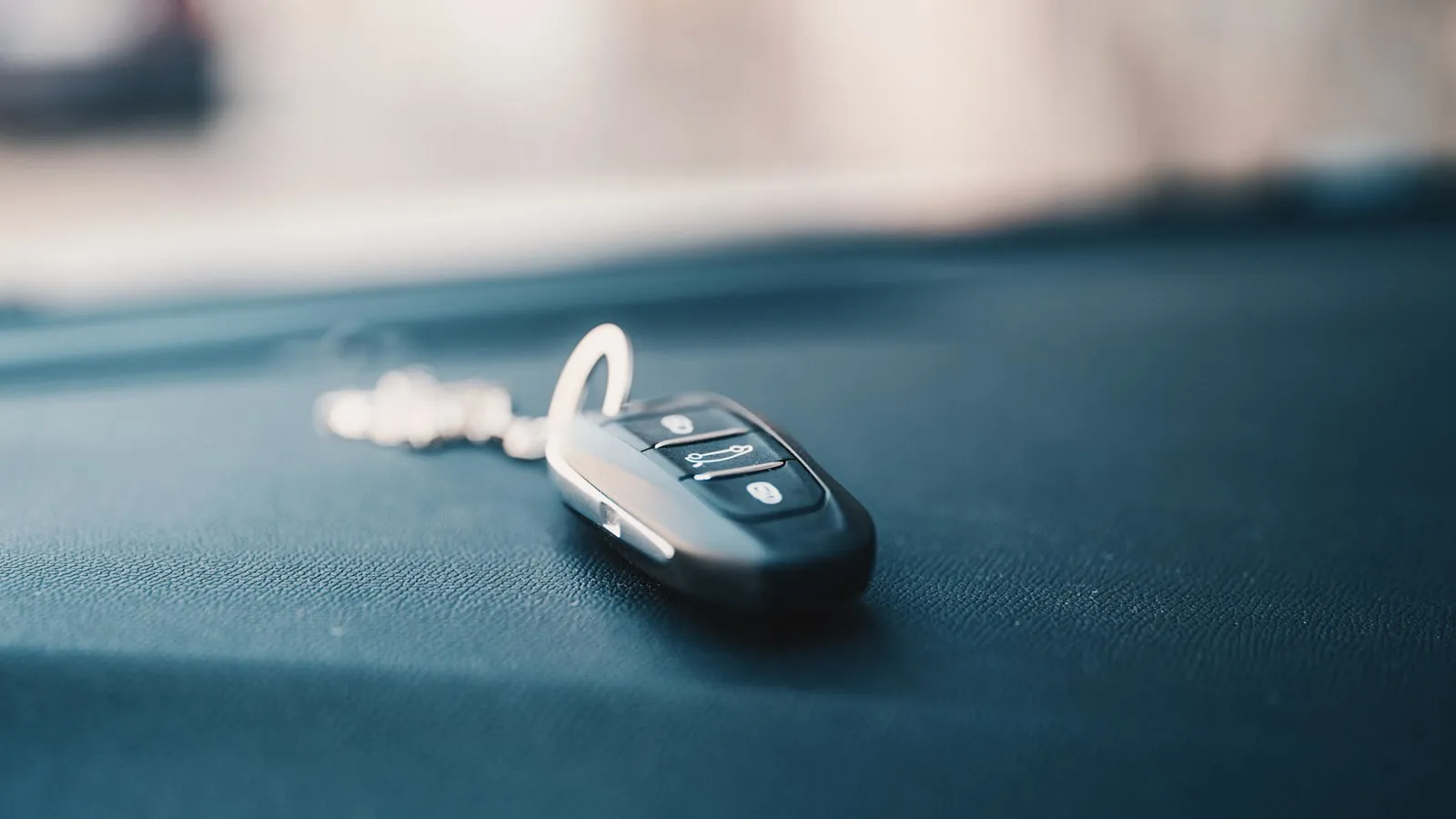
The average suburban garage has 2-4 clickers floating around. One on the kitchen hook, one in each car visor, maybe an extra in a junk drawer. They feel cheap — small plastic rectangles, one to four buttons, often emblazoned with a logo nobody recognizes. They also fail at exactly the worst moments: at 11 p.m. when the gate won’t open, or when handing one to a houseguest who has to hold it sideways to make it work.
Most homeowners have no idea what’s inside. The good news is that there’s not much in there, and the design has barely changed in thirty years. This is what a residential gate or garage clicker actually is, and what it’s doing every time you press the button.
What’s inside a clicker
Open one up (one Phillips screw, usually) and you’ll see three components:
-
The battery. A coin cell (CR2032, CR2025), a small cylinder (A23, 12V), or in older units a 9V rectangular battery. The battery holds enough charge for 3-5 years of typical residential use — roughly 4,000-8,000 button presses.
-
The microcontroller. A small black chip, sometimes labeled, sometimes not. This is the brain. It stores the unique code for your opener (or codes, plural, if the remote has multiple buttons paired to different devices). When you press a button, the microcontroller looks up the code, applies the rolling-code algorithm if applicable, and hands the result to the transmitter.
-
The transmitter chip and antenna. A radio transmitter (usually a single integrated circuit) tuned to 315 MHz, 390 MHz, or 433 MHz. The antenna is often just a copper trace on the circuit board, or a short wire wrapped along the case. When the microcontroller hands it a code, the transmitter modulates that code onto the radio carrier and broadcasts for about a quarter-second.
That’s the entire device. No microphone, no display, no wireless update mechanism. The clicker has been doing the same job since 1985 with steadily improving security on the code side and steadily shrinking components on the hardware side.
The frequency
US residential clickers broadcast on one of three frequencies, and the opener’s receiver listens on the matching frequency:
- 315 MHz — older LiftMaster, older Chamberlain, older Stanley, older HomeLink. The US residential default through the early 2000s.
- 390 MHz — newer LiftMaster Security+ remotes. HomeLink in vehicles 2014 and later typically supports both 315 and 390.
- 433 MHz — European brands (FAAC, Nice, BFT, CAME) and some North American Genie and Linear models. Newer HomeLink modules cover 433 MHz too.
If a remote’s frequency doesn’t match the opener’s receiver, nothing happens. This is the first thing to check when an “identical-looking” replacement remote doesn’t work — the frequency band on the back doesn’t match the opener.
Fixed-code vs rolling-code — the 1993 inflection point
Before 1993, every residential clicker used fixed codes. The clicker had a row of 8-12 DIP switches inside, and you set those switches to match the receiver’s switches. Press the button → transmit the same code, every time, forever. Anyone with a frequency scanner could listen, capture your code, and replay it. The problem was well-documented by the late 1980s.
In 1993, Chamberlain (LiftMaster’s parent) introduced Security+, the first widely-deployed rolling-code system for garage door openers. The clicker and the receiver share a synchronized algorithm; on every press, the clicker generates a new code. The receiver knows what code to expect next, accepts it once, and never accepts it again. Capturing the radio signal doesn’t help an attacker — the next time the gate opens, it’ll be a different code.
Today, most residential clickers manufactured after the mid-1990s are rolling-code. The major systems:
- LiftMaster Security+ (1996, 390 MHz)
- LiftMaster Security+ 2.0 (2011, tri-frequency 310/315/390)
- Genie Intellicode (1995, 390 MHz)
- Microchip KeeLoq (the underlying algorithm used in many third-party and aftermarket remotes)
- Stanley SecureCode (390 MHz)
Fixed-code remotes still exist — for some commercial applications, for very old residential gates that were never upgraded, and for cheap aftermarket clones. If your opener was installed before 1995 and has never been replaced, you may still be on fixed code. The receiver will have DIP switches inside; that’s the giveaway.
Brands and lineages
The clicker market is more consolidated than it looks. A few notes on who makes what:
- LiftMaster, Chamberlain, Sears Craftsman, Master Mechanic — same parent company (Chamberlain Group, now part of Blackstone). Their remotes are largely cross-compatible across these labels with matching security protocols.
- Genie, OverHead Door — same parent (Overhead Door Corporation). Use Intellicode and CodeDodger.
- Linear, Multi-Code, Stanley, Skylink — Nortek brands. Multi-Code is one of the most common universal-compatibility platforms.
- Mighty Mule — DIY tier, owned by Nortek (Linear).
- Marantec, FAAC, Nice, BFT, CAME — European brands. Different protocols, often 433 MHz, generally need brand-specific remotes.
- Allstar, Pulsar, Allister — older budget brands; many still on fixed-code.
When a homeowner says “I just need a replacement clicker,” the question worth asking is: what does the receiver support? The opener’s manual or a photo of the control board tells you that, and the answer dictates which remote you can buy.
Universal remotes
Universal remotes solve the brand-matching problem. The well-known names:
- Skylink — popular for whole-house multi-brand support
- Clicker (the brand, KLIK series — confusingly named) — Chamberlain’s universal line, broad compatibility
- Multi-Code — Linear/Nortek; widely supported across older fixed-code and rolling-code openers
- GTO/Mighty Mule MMTSR1 — works with both Mighty Mule and many third-party brands
A universal remote contains the firmware to mimic multiple protocols. When you program it, you tell it which protocol to emulate via a button-press sequence (consult the manual — they all differ). Then you pair it with the opener via the opener’s LEARN button, same as an OEM remote.
The trade-off: not every universal works with every opener, and newer rolling-code systems (Security+ 2.0 in particular) are harder for universals to support cleanly. Check the compatibility chart on the back of the package before buying.
Programming a clicker
Whether it’s a new OEM remote or a universal, the pairing flow is virtually identical across every residential opener built in the last 25 years:
- Locate the LEARN button on the opener’s motor housing. It’s usually a colored button (orange, purple, yellow, green, or red depending on era and brand) labeled “LEARN” or “SMART.”
- Press and release LEARN. A small LED beside the button will light up steadily.
- Within 30 seconds, press the button on the clicker that you want to pair.
- The opener’s LED turns off, or beeps, or both — that’s the confirmation. The clicker button is now paired.
- Press the clicker to test.
If the opener has multiple programmable channels (open / close / partial open / yard light), each channel has its own LEARN button or each press of LEARN cycles to the next channel. Consult the manual.
To un-pair all remotes (useful if a clicker was lost or if you bought a used opener and don’t trust the existing remotes), hold the LEARN button for 6-10 seconds. The LED will turn off, and every previously-paired remote stops working. Then re-pair only the remotes you want to keep.
Why clickers die
In rough order of likelihood:
- Dead battery. 70% of “broken” clickers are flat batteries. Always check first. A multimeter across the terminals should read within 5% of the rated voltage; below 80% means replace.
- Antenna fracture. Cheap clickers with external wire antennas can have the wire detach internally from cycling. Open the case, look for a broken solder joint or a snapped wire.
- EEPROM corruption. Rare. The microcontroller forgets its codes. Re-pairing fixes it.
- Transmitter chip failure. Also rare. The chip burns out, usually from a static-electricity event. No fix; replace the remote.
- Button contact wear. After 100,000+ presses, the rubber contact pad degrades and the button feels mushy or stops triggering. Cheap remotes wear out faster; OEM remotes can outlast the opener itself.
The replacement decision: if a new battery doesn’t fix it and the remote is older than 10 years or visibly damaged, replace it rather than repair. Remotes are $20-50; debugging a chip-level failure isn’t worth the labor.
Battery types and replacement
Most residential clickers use one of these:
- CR2032 / CR2025 — coin cells, 3V. Most modern compact clickers (LiftMaster mini, Chamberlain mini).
- A23 / 23A — small cylindrical 12V battery. Older standard for LiftMaster, Genie, Linear visor clickers.
- 9V (PP3) — older or larger clickers. Less common now but still found in older Genie and Stanley remotes.
- AAA — some Linear and aftermarket models.
The battery type is printed inside the case once you pop it open, or in the manual. Generic versions from Amazon or any hardware store are fine — there’s no security reason to prefer “name brand” batteries here.
The extra-clicker problem
A clicker works. A clicker also has costs:
- Visor clutter. Two or three clickers velcroed to the visor block half the driver’s view of the sky and produce a distinct “ratty” interior aesthetic that the average $50,000 SUV’s owner did not sign up for.
- Lost-clicker liability. A lost or stolen clicker is a key to a property. Best practice (rarely followed) is to immediately un-pair all clickers and re-pair only the known-safe ones.
- The press itself. Hands-on-wheel theory says the driver should not be reaching for a button while approaching a gate. In practice, reaching for the visor is what almost every driveway-gate owner does, every day, twice a day.
- Sharing with guests. Handing a clicker to a guest works for the visit. Getting it back is a different problem.
These weren’t problems for the original clicker design from the 1980s — that design assumed one device, one user, one rare press. Modern driveways violate every assumption: multiple cars, multiple drivers, multiple presses per day, frequent guests, and a much higher cost of failure (block of stopped cars behind a stuck gate).
Where the clicker is heading
A few things are quietly changing the math:
- HomeLink absorbed one clicker per driver — the in-car visor button replaces the dangling plastic. It works when programmed correctly and the radio environment cooperates (see how a residential gate opener actually works for more on the radio and receiver side of the equation).
- Smartphone apps (myQ, LiftMaster, etc.) bypass the clicker entirely by hard-wiring a Wi-Fi module into the opener’s terminal block. They work when the phone is in foreground and home Wi-Fi reaches the gate. In practice, most users still keep a physical clicker as backup.
- Vehicle credentials (the car itself becoming the “key”) are starting to replace the clicker model. The car’s onboard radio, GPS, or short-range receiver becomes the trigger; no visor button, no app foreground requirement, no battery-in-a-clicker that dies every 4 years. Proxly is one company building this model for residential gates, using the car-already-arriving signal to open the gate hands-free.
The clicker isn’t going anywhere — too many openers in the field, too much installed base, too cheap to replace — but for new installations and for owners frustrated with the visor-clicker ritual, the alternatives are real and worth understanding.
Reference
- LiftMaster compatibility chart (Security+ vs Security+ 2.0): liftmaster.com
- Genie Intellicode documentation: geniecompany.com
- Multi-Code remotes (Linear / Nortek): linearproaccess.com
- Universal remote selection guide: search the manufacturer’s site for “remote compatibility” — every major manufacturer publishes one.
Frequently asked questions
- Battery first, every time. Even modern rolling-code remotes use a CR2032, CR2025, A23, or 9V battery — replacements run $2-5. If a fresh battery doesn't fix it, the antenna or transmitter chip has likely failed, and those aren't usually repairable. At that point, replace the remote.
- Sometimes. If both openers use the same brand and the same security protocol (for example, both LiftMaster Security+ 2.0), a multi-button clicker can pair with both — one button per device. If they use different brands or different security protocols, you'll need separate clickers, or a universal remote that supports both protocols.
- Security+ is LiftMaster's rolling-code system introduced in 1996, working on 390 MHz. Security+ 2.0 (released 2011) uses three frequencies (310, 315, 390) and a faster rolling-code algorithm. They are not cross-compatible — a Security+ remote will not pair with a Security+ 2.0 opener, and vice versa. The receiver type is printed on the opener's motor housing.
- For most homeowners, yes. Universal remotes from brands like Skylink, Clicker, Multi-Code, and Mighty Mule support the most common security protocols and frequencies. The drawback is that not every universal works with every opener — check the model compatibility chart before buying. OEM remotes are typically $35-50; universals are $20-30.
- Three to five years for typical residential use (1-4 presses a day). A CR2032 will outlast an A23 of the same age, mostly because the CR2032 has more capacity. Clickers stored in hot cars degrade their batteries 2-3x faster — the heat is what kills the lithium chemistry.
- Fixed-code remotes (pre-1993) yes — that's the original code-grabbing vulnerability that prompted the industry shift to rolling codes. Modern rolling-code remotes (Security+, Intellicode, KeeLoq) are computationally hard to clone; published attacks exist but require specialized equipment and physical proximity. For residential gates, the practical risk is low — much lower than someone climbing the fence.
My garage clicker stopped working. Is the battery dead or is it broken?
Can I use the same clicker for my garage door and my gate?
What's the difference between Security+ and Security+ 2.0?
Are universal remotes as good as OEM remotes?
How long does a clicker battery last?
Can someone copy my clicker's signal and break in?
Keep reading

myQ vs Remootio for Driveway Gates: An Honest Comparison
LiftMaster myQ and Remootio are the two most common answers for app-based driveway gate control. Here is how they compare on compatibility, cost, and what happens when the internet goes down.
LiftMaster vs FAAC for Residential Driveway Gates: An Honest Comparison
Two brands dominate US residential gate installs — LiftMaster from Illinois, FAAC from Italy. A practical comparison for homeowners deciding which operator to put on their driveway.
How a Residential Gate Opener Actually Works
A field guide for homeowners with a $5,000-$15,000 driveway gate who never learned what's inside the metal box. The motor, the control board, the wiring — explained without the marketing.