Every gate-opener install, HomeLink troubleshoot thread, and installer quote uses the same cluster of terms. None of them get defined anywhere accessible. This page collects the most common ones and explains them plainly — no electrical engineering background required.
Terms are grouped by category rather than alphabetically, in roughly the order a new gate owner encounters them.
Signal & Code Types
Fixed code
The original signaling approach: a remote transmitter broadcasts one specific binary code, set by toggling DIP switches (small physical tabs) inside both the remote and the receiver. When the receiver hears a matching code, the gate opens.
Fixed code predates rolling code and is the system found on most residential gate openers installed before roughly 1995. Its weakness is straightforward: a code scanner can record a transmission and replay it later to open the gate. Most gate openers installed in the last two decades use rolling code instead, but older installations still operating on fixed code are common.
Rolling code
Rolling code — sometimes called hopping code — closes the replay vulnerability. After every button press, both the transmitter and the gate receiver advance to the next code in a long synchronized sequence. The previous code is never valid again. An intercepted transmission is useless.
The two devices stay in sync because both run the same pseudo-random algorithm seeded by a shared key exchanged during initial pairing. The algorithm most widely licensed to North American gate and garage-door opener manufacturers is KeeLoq.
For the step-by-step pairing procedure that rolling-code openers require, see HomeLink programming for rolling-code gate openers — the guide covers what makes rolling-code pairing different from fixed-code pairing and where most people skip a required step.
KeeLoq
KeeLoq is the rolling-code encryption algorithm originally developed by Nanoteq and now owned by Microchip Technology. Most North American residential gate opener remotes — LiftMaster, Chamberlain, Linear, Mighty Mule, and others — use KeeLoq or a manufacturer-specific derivative. When a troubleshoot thread mentions “rolling code,” the underlying math is almost always KeeLoq.
Security+ (LiftMaster / Chamberlain)
Security+ is LiftMaster and Chamberlain’s proprietary rolling-code protocol, built on KeeLoq. Transmitters typically operate at 315 MHz or 390 MHz depending on the generation. Security+ is the protocol used in most residential LiftMaster and Chamberlain gate and garage-door openers installed from the mid-1990s through the early 2010s.
Security+ 2.0
Security+ 2.0 is the updated LiftMaster and Chamberlain rolling-code protocol. The critical differences from original Security+:
- Encrypted two-way communication — the opener acknowledges the command, not just opens
- Operates at 315 MHz (and in some commercial-grade gate operators, 310 MHz)
- Not backward-compatible with Security+ — a Security+ remote will not pair with a Security+ 2.0 receiver, and a Security+ 2.0 remote will not pair with a Security+ opener
This incompatibility is one of the most common reasons HomeLink fails on newer LiftMaster gate operators: the vehicle’s HomeLink module was built to pair with the Security+ protocol; the opener’s receiver is waiting for a Security+ 2.0 handshake. For a diagnostic of that and related failure modes, see why HomeLink stops working at driveway gates.
Intellicode (Linear / Multi-Code / Nortek)
Intellicode is Linear Corporation’s rolling-code protocol, used across Linear, Multi-Code, and GTO/PRO gate opener product lines. It operates at 318 MHz. Intellicode is not interchangeable with Security+ or Security+ 2.0 — a Security+ remote will not open an Intellicode receiver.
Radio Frequencies
Gate opener remotes and receivers in the US operate in the 300–900 MHz range, governed by FCC Part 15 (unlicensed low-power devices). The frequency matters because a HomeLink module, universal remote, or aftermarket receiver must broadcast at a compatible frequency to pair.
| Frequency | Who uses it |
|---|---|
| 288 MHz | Early LiftMaster and Chamberlain fixed-code units |
| 300 MHz | Some older Genie openers |
| 310 MHz | Security+ 2.0 (select LiftMaster commercial-grade models) |
| 315 MHz | Security+, Security+ 2.0, many aftermarket remotes |
| 318 MHz | Linear Intellicode |
| 390 MHz | Security+ (first generation), select older openers |
| 418 MHz | Some Linear, Multi-Code, and Mighty Mule units |
| 433.92 MHz | European standard (FAAC, BFT, CAME, Nice); found on some US-sold gate openers |
HomeLink modules in most vehicles cover 288, 310, 315, and 390 MHz. The 433.92 MHz band is not supported by standard HomeLink modules without an adapter. Confirming the opener’s frequency before attempting pairing avoids most compatibility dead ends.
The LEARN Button
The LEARN button — sometimes labeled PROGRAM — is a physical button on the gate opener’s control board or motor head. Pressing it puts the receiver into pairing mode: it waits briefly for a new remote signal, records the code, and exits pairing mode. No LEARN button press means the opener’s receiver will ignore any new transmitter, including a HomeLink module being trained for the first time.
On LiftMaster and Chamberlain openers, the LEARN button’s color indicates the protocol and operating frequency:
| Button color | Protocol | Frequency |
|---|---|---|
| Yellow | Security+ (first generation) | 390 MHz |
| Orange / amber | Security+ | 315 MHz |
| Purple | Security+ 2.0 | 315 MHz |
| Red | Varies (some older Genie; some LiftMaster) | Varies |
| Green | Varies (some Chamberlain; some Linear) | Varies |
Note: Color coding is not universal across brands. The table above is a guide for LiftMaster and Chamberlain openers specifically. Other brands use different color conventions. Always confirm against the opener’s documentation.
Hardware Basics
Control board
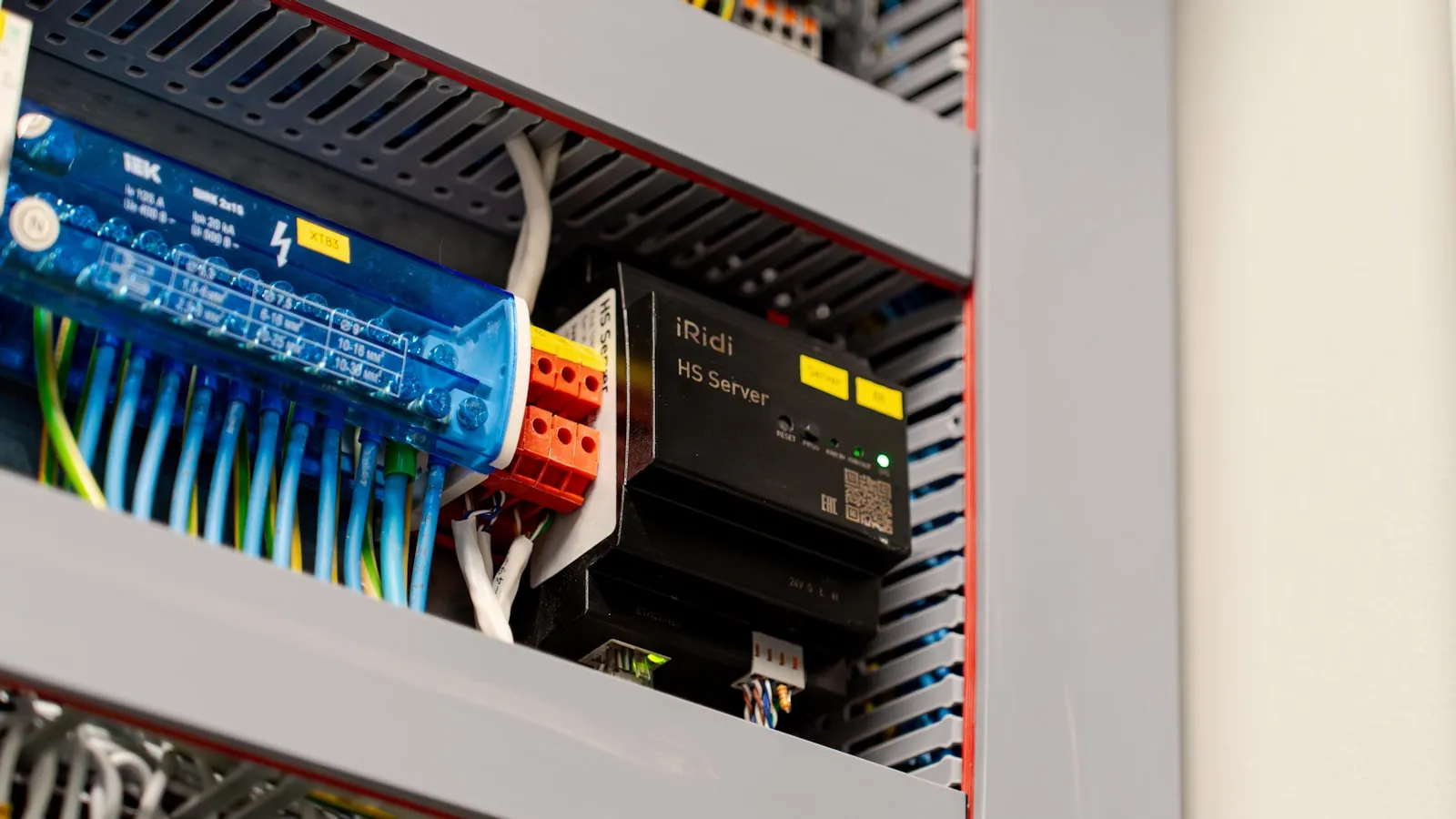
The control board is the circuit board inside the gate opener that receives signals — from remotes, keypads, HomeLink, wired inputs, or safety sensors — interprets them, and drives the gate motor. It also handles safety logic: if a photo eye sees an obstruction while the gate is closing, the control board stops or reverses.
Control boards are the most frequently replaced component on aging openers. A board replacement typically runs $80–$250 for the part, before labor. Understanding how a control board processes inputs — radio signals, wired dry contacts, safety loops — is covered in how a residential gate opener actually works.
Dry contact (trigger input)
A dry contact is a pair of terminals on the control board that triggers the gate when an external device shorts (connects) them together. The contact carries no voltage — the external device only needs to close the circuit, not supply power.
Nearly every residential gate opener exposes at least one dry-contact pair, typically labeled PUSH, TRIGGER, or OPEN/CLOSE. Two wires from a keypad, access-control system, loop detector, or vehicle-detection device connect here. Shorting the pair activates the gate exactly as a remote button press would.
Wet contact
A wet contact provides voltage — typically 12V or 24V DC — on the signal line itself. Some older intercom and access-control systems use wet contacts rather than dry. Connecting a dry-contact device to a wet-contact input without proper isolation can damage both. When wiring any external trigger to a gate opener, confirming whether the opener expects dry or wet input avoids control-board failures.
Photo eye (safety sensor)
Two small units — one infrared transmitter, one receiver — mounted on opposite sides of the gate’s travel path, typically at knee or bumper height. An invisible beam runs between them. If the beam is broken while the gate is closing, the control board stops or reverses the gate.
Photo eyes are required by UL 325 (the safety standard for residential and light commercial door and gate operators) on any automated gate that poses an entrapment risk. Misaligned photo eyes are one of the most common causes of a gate that refuses to close or reverses immediately after starting to close.
Limit switch
The limit switch tells the control board how far to drive the gate in each direction before stopping the motor. On most modern openers this is a mechanical switch or an encoder-count threshold, not a physical collision stop.
Misadjusted limits are the first thing to check when a gate doesn’t travel its full range — closes three-quarters of the way and stops, or opens and immediately reverses near the end of travel.
Loop detector
A loop detector reads signal from a wire loop buried in the driveway surface. A vehicle parked over the loop changes the inductance in the wire; the detector interprets that change as vehicle presence and sends a dry-contact signal to the opener’s control board.
Loop detectors are most commonly used to hold a gate open while a vehicle is in the opening (preventing the gate from closing on a car), or to trigger opening when a vehicle approaches from the inside. Detector reliability depends on the loop depth, wire condition, and soil composition.
Gate Types
Swing gate
A swing gate pivots on hinges at one or both sides of the opening, like a door. A single-leaf swing gate covers the full opening width from one side. A bi-parting (or dual) swing gate uses two panels that meet in the center.
Swing gate openers attach through either a linear actuator — a push-rod arm that extends and retracts — or an articulated arm that folds as the gate moves. Linear actuators are standard on most residential installations.
Slide gate (also called a roll gate)
A slide gate travels horizontally along a track beside the driveway, driven by a rack-and-pinion mechanism connected to the opener motor. Slide gates are common where there is not enough clearance for a swing gate to open inward or outward, or on sloped driveways where swing geometry is impractical.
Bi-parting gate
Two panels — swing or slide — that open from the center and meet at the middle when closed. The panels travel roughly half the distance of a single-panel gate, which can reduce mechanical wear and cycle time.
Underground ram (hydraulic swing)
A hydraulic cylinder mounted in a below-grade concrete box pushes and retracts to swing the gate. The mechanism is entirely hidden once installed. Underground rams are more expensive to install and service than surface-mounted arms, but eliminate the visual hardware at the gatepost.
Vehicle & Arrival Tech
HomeLink
HomeLink is an in-vehicle radio frequency transmitter system manufactured by Gentex Corporation. It is built into the visor or overhead console of most major vehicle brands and can be programmed to replicate the signal of a gate opener remote, a garage door remote, or other RF devices.
Standard HomeLink modules cover 288, 310, 315, and 390 MHz. Some later-generation modules also support 418 MHz. Pairing a vehicle’s HomeLink to a rolling-code gate opener requires two steps: training HomeLink to the remote signal, then pressing the gate’s LEARN button to authorize the new transmitter. Many owners complete only the first step and wonder why the gate ignores every press.
Geofence
A geofence is a virtual geographic boundary defined by GPS coordinates. When a device — typically a phone running a gate-opener app — crosses the boundary, it sends a command to open or close the gate over the internet.
Most GPS-based geofencing systems have a minimum reliable radius of 150–300 feet, meaning the gate receives the open command only when the vehicle is already at or near the driveway entrance. That timing gap is why geofencing works well for garage doors (the door is right there) but struggles for driveway gates that benefit from opening before the car arrives. For the full explanation of why this timing problem is structural rather than fixable with a tighter geofence, see why Tesla’s geofence feature won’t open your driveway gate.
Vehicle credential
Vehicle credential refers to using the vehicle itself — rather than a phone, remote, or keypad code — as the identity token that opens the gate. The vehicle broadcasts a signal; the gate receiver authenticates it. No button press, no phone required, no internet connection in the path.
This is a different category from both HomeLink (which still requires a manual button press) and geofencing (which requires a phone with an active app). It is the approach the residential gate automation category has not yet standardized, and it is the problem Proxly is working on.
Wiring Terms
Normally open (NO)
A normally open contact is disconnected at rest and connects when activated. Most gate-opener trigger inputs expect a normally open dry contact: two wires that are open at rest and shorted to trigger the gate.
Normally closed (NC)
A normally closed contact is connected at rest and opens when activated. Safety inputs — photo eyes, edge sensors — use normally closed contacts. If the safety device fails or is disconnected, the contact opens and the control board interprets this as a fault condition, preventing gate operation. It is a fail-safe design: a broken wire means the gate does not move.
Low-voltage wiring
Gate opener accessory circuits — photo eye runs, keypad lines, loop detector feeds, intercom cables — typically operate at 12–24V DC. This is separate from the 110V or 220V AC mains that power the motor itself. Low-voltage wiring runs generally do not require a licensed electrician in most US jurisdictions, but local codes vary.
How This Glossary Connects to the Rest of the Site
Each of these terms shows up repeatedly in the more detailed guides:
- Rolling code, LEARN button, Security+ 2.0: HomeLink programming for rolling-code gate openers walks through the complete pairing sequence and the failure modes at each step.
- Why HomeLink fails: Why HomeLink stops working at driveway gates maps five failure categories — frequency mismatch, rolling-code resync, range, receiver issues, and module failure — against this vocabulary.
- Control board and dry contact: How a residential gate opener actually works covers the full signal chain from remote press to motor movement, including the terminal block where dry-contact devices connect.
This page will be extended as new terms surface. The category vocabulary is not small.
Frequently asked questions
- Fixed code sends the same signal every press — a code recorder can capture and replay it to open the gate. Rolling code generates a new code after every press, synchronized between remote and receiver, so a captured transmission is immediately useless. All current residential gate openers use rolling code.
- Newer LiftMaster commercial-grade gate operators use Security+ 2.0, which requires a different handshake than the original Security+ protocol most HomeLink modules support. The fix usually involves a Security+ 2.0-compatible interface module or a credential method that bypasses the RF pairing entirely.
- A dry contact is a pair of terminals on the control board that opens the gate when an external device shorts (connects) them together. The contact carries no voltage — the external device only needs to close the circuit. Terminals are usually labeled PUSH, TRIGGER, or OPEN/CLOSE.
- Check the LEARN button color using the table in this article, then confirm against the sticker on the motor cover or inside the remote housing. LiftMaster and Chamberlain publish frequency data by model series on their support pages. The FCC ID on the remote can also be cross-referenced in the FCC equipment authorization database.
What is the difference between rolling code and fixed code?
Why won't my HomeLink pair with a newer LiftMaster gate opener?
What does dry contact mean on a gate opener?
How do I find the frequency of my gate opener?
Keep reading
Rivian R1T HomeLink: Setup, Range, and Driveway Gate Pairing
How to program Rivian R1T HomeLink for a driveway gate, where to find the visor buttons, why rolling-code openers need an extra step, and what to expect from range.
HomeLink Alternatives for Driveway Gates: What Actually Works
Clickers, Wi-Fi modules, keypads, geofence apps — an honest comparison of every real HomeLink alternative for driveway gates, with trade-offs and no forced answers.

HomeLink Programming for Rolling-Code Gate Openers: The Two-Step Fix
Most HomeLink setup guides skip the second step. For rolling-code gate openers, that omission is why the gate ignores the signal. Here's the complete two-step process.