
HomeLink is built into the visors or overhead consoles of most vehicles sold in North America, and it programs to the majority of residential garage door openers in a few steps. Driveway gate openers are a different story.
Gate boards run a wider spread of RF frequencies — 288, 310, 315, 390, 418, and 433 MHz are all common depending on manufacturer and model year. Rolling-code protocols vary across brands. Some gate-specific control boards don’t train cleanly into HomeLink’s three-button pairing sequence. A few newer EVs ship without HomeLink at all. The result: a real share of gate owners are looking for something that reliably opens their gate.
This article covers six alternatives with honest trade-offs. Proxly is one option on this list — it’s pre-launch and not yet shipping. The right answer depends on what your opener supports and how much daily friction you’re willing to accept.
The six alternatives
1. Handheld RF clicker
The remote that came with your gate opener, or a replacement ordered from the manufacturer.
How it works: A small transmitter sends an RF signal on your opener’s frequency. The receiver at the gate controller matches the signal and triggers the motor. Rolling-code systems cycle the code on each press for security.
Pros: No internet. No subscription. No app. Works with virtually any opener it’s been paired to. Battery life is typically one to three years. Extremely reliable over years of use.
Cons: Manual. You reach for it and press it, every time. If it’s in the center console when you arrive, the gate waits. Multiple drivers need multiple clickers, each programmed separately. A lost or dead remote means no access until replaced or reprogrammed.
Best for: Homeowners who want the simplest option and don’t mind a manual step. This is also the most universal fallback — if everything else fails, the clicker still works.
2. Universal visor remote
A separate clip-on or adhesive-mount remote that fills the same role as HomeLink without using the car’s built-in system.
How it works: Devices in this category — Chamberlain’s KLIK1U is a common example — pair to the gate opener using the standard clicker training process, bypassing HomeLink entirely.
Pros: Sidesteps HomeLink’s frequency and training quirks. Works in vehicles that have no HomeLink, including older cars and some current EVs. Easy to move between vehicles.
Cons: Still manual — you press a button. The rolling-code pairing process is identical to a standard clicker, so if your opener’s protocol is the root cause of the compatibility problem, a universal remote encounters the same issue.
Best for: Drivers in vehicles without HomeLink, or drivers whose HomeLink refuses to train to a specific gate model despite following the correct steps.
3. Wi-Fi module (myQ and equivalents)
An internet-connected module that adds app control to a supported gate opener.
How it works: The module connects to your home Wi-Fi and links to the opener’s control board. You open and close the gate from a phone app — from your driveway or from anywhere with mobile data.
Pros: Remote access. Open for a delivery driver without being home. Check gate status at any time. Some platforms provide guest access and open/close logs.
Cons: Internet required. LiftMaster’s myQ requires a paid subscription for some features. Full compatibility is limited to LiftMaster and Chamberlain openers; other brands require a different platform. You still need your phone out — you’re pressing “Open” in an app instead of a button, but there’s no automation.
Understanding how a gate opener’s control board handles inputs is useful context before any retrofit purchase.
Best for: Owners who need remote monitoring or occasional remote open. Less useful if hands-free daily arrival is the primary goal.
4. PIN keypad
A wired or wireless keypad mounted at the gate entry point.
How it works: You enter a code; the gate opens. Most keypads connect to the opener’s dry-contact terminals — the same two-wire input used by virtually every gate control interface. Wireless keypads add a short-range RF receiver at the opener.
Pros: No phone, no clicker, no internet dependency. Guest PINs can be issued and revoked without distributing physical keys or remotes. Works indefinitely without cloud subscriptions.
Cons: Requires stopping at the gate, rolling down the window, and typing a code. Not hands-free. In rain or at night, entering a PIN is a minor inconvenience that compounds quickly for daily drivers. A shared family PIN is a trade-off between convenience and access control.
Best for: Guest access, delivery vehicles, or properties where controlled entry matters more than daily-driver convenience.
5. Geofence app (Remootio, iSmartGate, and others)
A retrofit module wired to the gate opener that triggers an open command when your phone enters a defined geographic radius.
How it works: A small controller connects to the opener’s dry-contact terminals. The companion app monitors your phone’s GPS position and sends an open command when you cross the set boundary — commonly 50 to 300 meters from the gate. Manual open via the app is also available.
Pros: Can be nearly automatic on daily arrival. Broader opener compatibility than myQ — Remootio and iSmartGate use dry-contact wiring that works with openers from many brands. Access logs visible in the app.
Cons: Phone and mobile data required. GPS boundary precision varies by phone OS and background-app behavior — the trigger may fire early or late. Subscription pricing differs by platform. Not every opener control board is compatible with every module.
For Tesla’s built-in geofence feature specifically: it uses a different mechanism and doesn’t reliably open driveway gates — that’s a separate issue from third-party geofence apps.
Best for: Owners who want near-automatic arrival and are comfortable with phone and internet dependency for that to work.
6. Vehicle-paired auto-open (Proxly — pre-launch)
A hardware system where a small windshield tag communicates with a hub wired to the gate opener. The gate opens as the vehicle approaches; no phone, no app action required.
How it works: The Tag uses an encrypted RF signal. The Hub detects it at range — approximately 300 feet per Proxly’s stated specifications — and opens the gate through the opener’s dry-contact terminals, the same wiring interface a keypad uses. Multiple drivers each get their own Tag; no shared programming slots.
Pros: No phone required. No internet required. No subscription. Works in rain, when the phone battery is dead, or when the phone is in the back seat. Hands-free from the moment the vehicle turns onto the driveway.
Cons: Proxly is pre-launch as of May 2026. It is not shipping. The confirmed opener compatibility list has not been finalized. Anyone evaluating Proxly is making a reservation on a product that doesn’t exist yet — that’s a real consideration against the five options above that you can buy today.
If fully hands-free, no-phone daily open is the gap you’re trying to fill and you’re willing to wait for a product still in development, the Proxly early access list is at getproxly.com/beta.
Best for: Owners who want no-action daily open and are willing to reserve ahead of a product that hasn’t launched.
Quick comparison
| Option | Hands-free | Internet required | Subscription | Opener compatibility |
|---|---|---|---|---|
| Handheld clicker | No | No | No | Universal |
| Universal visor remote | No | No | No | Universal |
| Wi-Fi module (myQ) | No | Yes | Some features | LiftMaster / Chamberlain |
| PIN keypad | No | No | No | Universal (dry contact) |
| Geofence app | Near-automatic | Yes | Varies by platform | Broad (dry contact) |
| Proxly (pre-launch) | Yes | No | No | TBD at launch |
Which option fits your situation
You want the simplest setup with no configuration: A clicker or universal remote. Proven over decades. Nothing to configure beyond the initial pairing.
You need to let people in when you’re not home: A Wi-Fi module. myQ is the most established platform — verify your opener is Chamberlain or LiftMaster compatible first.
Your car doesn’t have HomeLink: A universal visor remote handles the same job without the car’s built-in system.
You want near-automatic arrival and accept phone dependency: A geofence app. Confirm your opener model is listed as compatible before buying the module.
You want fully hands-free, no phone, no internet: No shipping product fills this slot cleanly today. Proxly is the pre-launch entrant in this category.
Reference
- LiftMaster product information — liftmaster.com
- Chamberlain Group product information — chamberlain.com
Frequently asked questions
- myQ works primarily with LiftMaster and Chamberlain openers. For other brands, third-party retrofit modules like Remootio or iSmartGate may be compatible, but this depends on the specific control board. Check the manufacturer's compatibility list before purchasing any module.
- HomeLink is built into the car's visor or overhead console and pairs directly to your opener using RF. A universal visor remote is a separate clip-on device that does the same job. Universal remotes avoid HomeLink compatibility issues but still require manual button pressing.
- Gate openers use a broader range of RF frequencies and rolling-code protocols than standard garage door openers. HomeLink's pairing sequence can also fail if the opener is not in the correct learn mode. The failure modes are specific and often fixable — see our troubleshooting guide for a full diagnostic.
- Geofence apps can nearly automate gate open on approach but require your phone and a mobile data connection. A category of vehicle-paired hardware — a windshield tag communicating with a gate hub — aims for hands-free operation without phone dependency, though products in this category are pre-launch as of 2026.
- Most geofence retrofit modules connect through a gate opener's dry-contact terminals, which most residential openers include. Remootio and iSmartGate each publish their own compatibility lists. Verify your specific opener model is supported before buying any module.
Can I use myQ with any gate opener?
What is the difference between HomeLink and a universal visor remote?
Why doesn't HomeLink work with my driveway gate?
Is there a hands-free alternative to HomeLink for driveway gates?
Do geofence apps work with all gate openers?
Keep reading
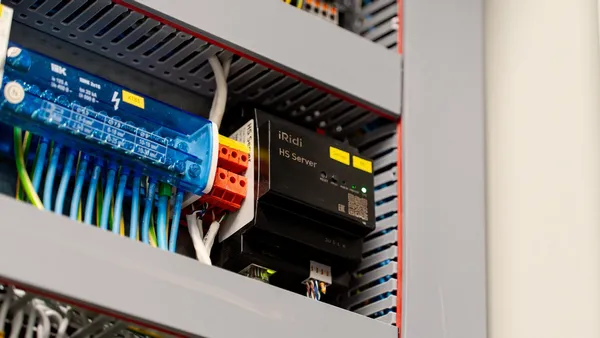
The Driveway-Gate Glossary: Every Term, Plain English
Rolling code, Security+ 2.0, KeeLoq, dry contact, geofence, LEARN button — the terms that appear in every gate-opener manual and HomeLink troubleshoot, defined in plain English.
Rivian R1T HomeLink: Setup, Range, and Driveway Gate Pairing
How to program Rivian R1T HomeLink for a driveway gate, where to find the visor buttons, why rolling-code openers need an extra step, and what to expect from range.

HomeLink Programming for Rolling-Code Gate Openers: The Two-Step Fix
Most HomeLink setup guides skip the second step. For rolling-code gate openers, that omission is why the gate ignores the signal. Here's the complete two-step process.