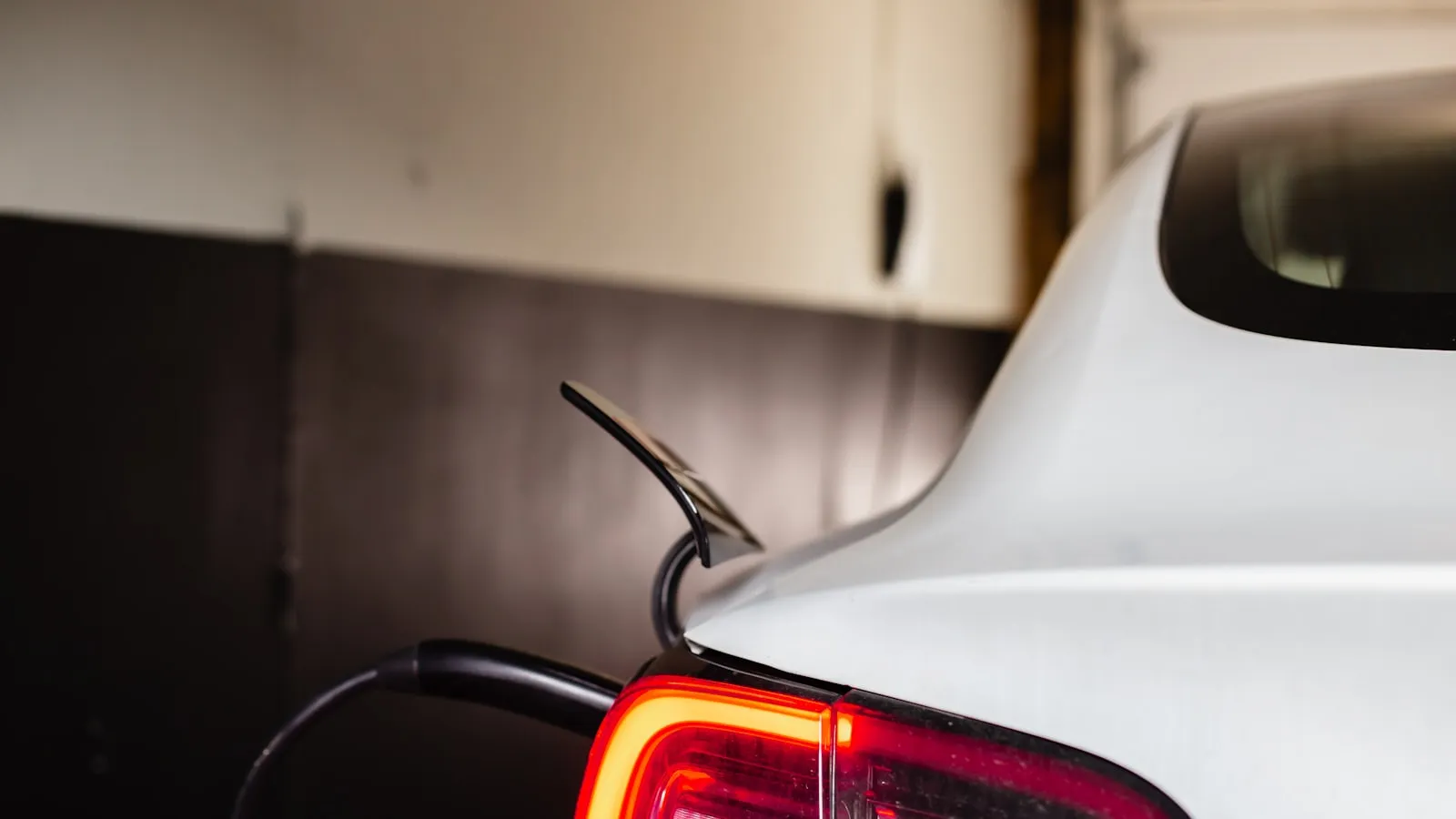
Tesla Garage Auto-Open is a free, built-in feature that automatically fires your car’s HomeLink to open the garage as you pull up — but it runs on a fixed home geofence, so on a long, straight driveway it opens too early or never fires on the way home. On a short driveway it’s one of the cleaner arrival setups in any production car; on a longer one it’s among the most-complained-about features Tesla ships. Here’s where Garage Auto-Open works, where it breaks down, and what the HomeLink alternatives for Tesla look like.
About Tesla Garage Auto-Open
Tesla introduced Garage Auto-Open (also called HomeLink Auto-Open in some software versions) as a software feature layered on top of HomeLink hardware. The car’s GPS continuously tracks position; when the car enters a configured geofence around the home location, the car transmits the assigned HomeLink RF signal automatically, opening the garage door (or gate, or whatever is paired to that HomeLink channel).
The feature is configured in the Tesla touchscreen under Controls → HomeLink (the exact path varies by software version). The driver sets up the geofence by parking near the desired trigger location and saving that GPS coordinate. The car then watches for re-entry to that zone on subsequent drives.
Garage Auto-Open has been broadly available since around 2019 on most Tesla models with HomeLink installed. Rivian added a comparable feature via OTA software update in 2024. As far as factory-built hands-free arrival, Tesla and Rivian are essentially the only mainstream options as of 2026.
Overview of Tesla Garage Auto-Open variants
The feature itself is software, so it doesn’t have product variants in the hardware sense. The variations matter because they affect compatibility.
Tesla Model S and Model X (factory HomeLink)
Both models include HomeLink hardware as standard equipment. Garage Auto-Open is available on both immediately.
Tesla Model 3, Model Y, and Cybertruck (no factory HomeLink)
None of these models include HomeLink from the factory. To use Garage Auto-Open, owners must purchase the Tesla HomeLink retrofit module (~$300-$350 from Tesla Service), schedule a service appointment for installation, and then complete the standard HomeLink pairing process. Once the retrofit is installed, Garage Auto-Open works the same as on Model S/X.
One thing owners of the refreshed bodies (Highland Model 3, Juniper Model Y) discover late: on these cars the module install involves front-bumper access, not the quick behind-the-mirror swap that worked on the earlier ‘21–‘23 Model 3/Y. That’s what pushes the retrofit firmly into “service appointment” territory rather than a fifteen-minute DIY. A related gotcha for anyone trading up: owners report the HomeLink module doesn’t physically transfer from an older body to a refreshed one. The bracket and mounting location differ, so a module you paid for on a previous car generally doesn’t come along to the new one.
Rivian R1T and R1S (added 2024)
Rivian’s equivalent feature uses the same underlying approach (geofence-triggered HomeLink) on R1T and R1S vehicles that include HomeLink. The implementation details differ slightly but the practical experience is similar.
Garage Auto-Open vs “parking inside the garage”: two different systems
This is the single most common point of confusion among new Tesla owners, and it’s worth clearing up first, because the two features get judged as one.
- Garage Auto-Open opens the door. It uses the car’s GPS to transmit the HomeLink signal as you reach home. On a short driveway it’s genuinely reliable.
- FSD self-park drives the car in. Steering the car the last few feet through the open door and into the bay is a Full Self-Driving behavior — a completely separate system with nothing to do with HomeLink.
Owners routinely expect that installing HomeLink will make the car “open the door and park itself all by itself.” HomeLink handles the first half. The second half is FSD, and that’s the inconsistent one. Reports run the full range: some owners say their car pulls (or backs) in perfectly every time; many others say the car completes navigation at the driveway and simply stops, leaving them to drive in manually. The behavior has also shifted between software versions — owners have described self-park working on one release and refusing to enter the garage after an update.
If your real goal is “the door opens as I arrive,” that’s Garage Auto-Open and it’s achievable. If your goal is “the car drives itself into the garage,” that’s FSD self-park, and you should set expectations accordingly. A widely shared owner workaround for the parking half: park inside once, save that precise spot as a named favorite, and navigate to it on the way home; some owners also tap the accelerator to nudge the car in when it stops short. Either way, the door-opening half — the part Proxly also solves — is the dependable one.
Tesla Garage Auto-Open review
Features
Garage Auto-Open does one thing:
- When the car enters a saved geofence around the configured home location, the car transmits a chosen HomeLink RF signal automatically.
That’s the entirety of the feature. Supporting capabilities on the Tesla side include:
- Up to three HomeLink channels per car, configured manually in the touchscreen
- A bidirectional state display on some HomeLink installations (the car shows whether the door is open or closed if the opener reports back to HomeLink)
- An on-screen HomeLink button to trigger the channel manually if Auto-Open doesn’t fire
- A toggle to enable or disable Auto-Open per channel
What Garage Auto-Open does NOT include:
- Anything beyond HomeLink RF coverage (no Wi-Fi, no app-based control, no smart-home integration)
- Coordinated multi-device sequences (open the gate at entry, then the garage at the house — each channel is independent)
- Coverage for openers HomeLink can’t speak to (FAAC, Nice/Apollo, several other gate brands use proprietary RF)
- A way to use Garage Auto-Open from a non-Tesla / non-Rivian car
Pricing
Garage Auto-Open is included in the car’s software at no additional cost. Tesla does not charge a subscription for the feature.
The cost comes from the HomeLink hardware requirement:
- Tesla Model S / Model X: HomeLink is standard. Zero additional cost for Garage Auto-Open.
- Tesla Model 3 / Model Y / Cybertruck: HomeLink is not standard. Tesla HomeLink retrofit module is ~$300-$350 plus service appointment install. Garage Auto-Open works after install at no further cost.
Pros
- Genuinely hands-free arrival when it works. The garage opens as you approach. No button press, no app, no clicker. For households on short driveways with HomeLink-compatible openers, this is the experience every other smart-garage product tries to approximate.
- Free if you have a Model S or Model X. Zero incremental cost for Tesla owners whose model includes HomeLink standard.
- Built into the car, no extra hardware in the cabin. Unlike a third-party Tag or controller, Garage Auto-Open uses the car’s existing GPS and the in-car HomeLink module. Nothing to mount, nothing to forget.
- Up to three HomeLink channels. A household with a gate, a garage, and one more compatible opener can configure all three.
- Tesla touchscreen integration. Pairing and configuration happens on the in-car display. The setup process is well-documented and most owners complete it in 10-15 minutes per channel.
- Bidirectional state display on supported installations. Some HomeLink + opener combinations can report current door state (open/closed/moving) back to the Tesla screen, which is more than a standalone visor remote provides.
Cons
- The fixed geofence is the biggest practical limitation. Garage Auto-Open uses the car’s own GPS and a geofence you set by saving a spot near home. It’s a fixed circle owners can’t reshape to a long, straight driveway — community reports put the usable radius in the ~15-45 meter range. The result is one of two failure modes: on a long approach the circle sits out near the road, so the gate or garage opens while the car is still on the public road (and may auto-close before the car arrives), or the geofence doesn’t fire on the way home because the car was already inside it when the trip started.
- The trigger doesn’t know which way you’re going. A plain circle fires when the car crosses its edge — and it crosses that edge on the way out just as it does on the way in. Owners on shared community gates report the gate opening as they leave the neighborhood, not only when they arrive. There’s no “arrival-only” setting to tune; the behavior is inherent to triggering on a fixed boundary rather than on the car’s distance to home.
- HomeLink hardware required on Model 3, Y, and Cybertruck. Adds ~$300-$350 plus service appointment to use Garage Auto-Open. Owners may not discover this until they go to set up the feature and find HomeLink absent.
- Tied to HomeLink’s protocol coverage. If your opener uses an RF protocol HomeLink can’t learn (FAAC, Nice/Apollo, several commercial-grade and proprietary residential brands), Garage Auto-Open won’t work even if your Tesla has HomeLink installed. The car will report successful HomeLink training but the opener won’t respond.
- Cannot coordinate multiple devices in sequence. A household with a property-line gate and a garage door at the house typically picks one or the other to be the Auto-Open target. There isn’t enough geofence resolution to fire the gate at the entrance and then the garage at the house as separate events.
- No coverage for non-Tesla / non-Rivian cars. A multi-car household where the second car isn’t a Tesla doesn’t benefit from Garage Auto-Open on that vehicle. Each driver gets the experience only if their car has it built in.
- Rolling-code sync issues still apply. Like any HomeLink-based system, Garage Auto-Open inherits HomeLink’s pairing issues. If the rolling code drifts, the trigger fires but the opener doesn’t respond, and re-pairing is required.
- No app-based control or remote operation. Garage Auto-Open is a geofence-only trigger. The Tesla HomeLink interface includes a manual on-screen button, but there’s no Tesla way to open the garage from outside the car. Owners who want from-anywhere control still need a separate platform (myQ, Meross, Tailwind, etc.).
What owners report about real-world reliability
A few consistent patterns separate the owners who love this feature from the ones who fight it:
- On short driveways it mostly just works. The most common positive report is some version of “the door opens via HomeLink proximity every time.” Owners with a well-placed trigger spot and a compatible opener describe arrival auto-open as one of the features they’d miss most. Judged by this case, it earns its reputation.
- The complaints cluster on geometry, not the idea. Long driveways, gated community entrances, and multi-building properties are where a fixed circle stops matching the actual approach. The feature isn’t flaky so much as it’s a single geofence being asked to fit a shape it can’t.
- Pairing is where setup stalls. The snag is often the underlying HomeLink pairing rather than Auto-Open itself. The step most people miss: after you capture the remote’s signal in the car, you have to press the LEARN button on the opener’s motor head before the final on-screen test — do it in the wrong order and it silently won’t take. For rolling-code openers, the on-screen “test” typically needs the button pressed several times in a row (four or five), not once, before the opener accepts the new transmitter and starts responding. If Auto-Open says it fired but the door didn’t move, this handshake — not the geofence — is usually the culprit.
The takeaway: Garage Auto-Open is a well-built feature with a narrow sweet spot. Inside it — Tesla with HomeLink, short driveway, compatible single opener — it’s excellent. Outside it, the limits are structural rather than something a settings tweak resolves.
Tesla Garage Auto-Open vs Proxly
Tesla Garage Auto-Open and Proxly both aim at hands-free arrival, but the underlying architecture is meaningfully different. Garage Auto-Open uses the car’s own GPS and a fixed home geofence to fire HomeLink RF. Proxly uses a windshield-mounted Tag with its own dedicated GPS that measures the car’s distance to home and triggers a Hub at the opener over local radio.
Proxly is pre-launch, with $20 fully refundable reservations open. The rows below describe what it is designed and built to do. They are not backed by an installed customer base the way the other column’s numbers are, and we’ll update this table with field data as beta units ship.
| Feature | Proxly | Tesla Garage Auto-Open |
|---|---|---|
| Hands-free arrival | Yes | Yes (when geofence works) |
| Works on any car | Yes | No (Tesla or Rivian only) |
| No HomeLink retrofit required | Yes | No (required on Model 3, Y, Cybertruck — adds $300-$350) |
| Works across opener brands including FAAC, Nice/Apollo | Yes (via dry-contact) | No (HomeLink-compatible openers only) |
| Reliable on long driveways | Yes (Tag’s own GPS triggers on distance to home, tunable to the approach) | Limited (fixed geofence opens too early or doesn’t fire on return) |
| Multi-opener coordination (gate then garage) | Yes (multiple openers off one Hub, distance-based) | No (each HomeLink channel is independent) |
| Free app for remote open/close, schedules, notifications | Yes | No (HomeLink has no remote-control app) |
| Multi-car household coverage (non-Tesla cars get hands-free too) | Yes (Tag works in any car) | No (only Tesla/Rivian cars get the experience) |
| Subscription required | No | No (Garage Auto-Open itself is free, but HomeLink retrofit cost may apply) |
| Anti-theft protection on in-car device | Yes (Tag non-functional if stolen) | N/A (HomeLink is bolted to the car) |
What Tesla Garage Auto-Open does better
Garage Auto-Open is built into the car. For a household with a short driveway, a Tesla that includes HomeLink, and a HomeLink-compatible garage door, the feature delivers genuinely hands-free arrival with zero additional hardware and zero ongoing cost. The bidirectional state display on supported installations is a nice touch most third-party solutions don’t replicate. The Tesla touchscreen integration is clean and the setup process is straightforward.
For Tesla-only households where Auto-Open works reliably, there’s no upgrade case. The feature is doing exactly what it should.
What Proxly does better
For households where any of these conditions apply, Proxly is the cleaner fit:
- The driveway is long. This is the most common Garage Auto-Open complaint pattern. Proxly’s Tag has its own dedicated GPS and triggers on the car’s distance to home, so the open can fire at your actual approach distance rather than at the edge of a fixed geofence you can’t reshape.
- The opener brand isn’t HomeLink-compatible. FAAC, Nice/Apollo, and several other gate operators use RF protocols HomeLink can’t learn. Proxly bypasses the RF layer entirely by triggering the opener through dry-contact wiring, which most residential openers expose as a wall-button input.
- The household has a gate AND a garage to coordinate. Garage Auto-Open treats each HomeLink channel independently. Proxly covers gate and garage with a Hub at each, both triggered by the same Tag on distance-based logic.
- The household has non-Tesla cars. Proxly’s Tag works in any car with a windshield. A multi-car household where the second car is a Honda or a Ford gets the same hands-free arrival experience as the Tesla.
- The Tesla doesn’t include HomeLink. Rather than paying ~$300-$350 for the HomeLink retrofit (plus service appointment), the same investment in Proxly gives hands-free arrival without needing HomeLink at all.
Why Proxly is a strong alternative
If you fit one or more of the situations above, the decision case for Proxly over Garage Auto-Open comes down to four points:
- Trigger distance. Tesla’s Auto-Open fires on a fixed home geofence that owners can’t reshape to a long driveway. Proxly’s Tag has its own GPS and triggers on the car’s distance to home, so it can match the actual approach. On longer driveways, that’s the difference between opening on time and opening out at the road.
- Opener brand coverage. Garage Auto-Open is limited to what HomeLink can speak. Proxly works across opener brands via dry-contact instead.
- Multi-car households. Garage Auto-Open only works on the Tesla. Proxly works on every car in the household.
- Multi-opener coordination. Garage Auto-Open is one channel per trigger. Proxly covers multiple openers with a Hub at each location, on distance-based timing.
Proxly is built for the cases where Tesla Garage Auto-Open doesn’t quite fit: longer driveways, openers HomeLink can’t pair to, multi-opener routines, multi-car households where not every car is a Tesla, or homes where a HomeLink retrofit costs enough to reconsider the whole approach. If that’s your situation, learn more at getproxly.com.
If your situation is a clean Garage Auto-Open fit — Tesla with HomeLink installed, a short driveway, a single HomeLink-compatible opener — the feature is genuinely excellent and the right move is probably to use what’s already in the car.
Last updated: 2026-07-22. This review reflects information available at the time of writing and is presented to the best of our knowledge from publicly available sources. Pricing, vehicle availability, software feature behavior, and product specifications may change after publication; please verify current details directly with Tesla and the relevant opener manufacturer before making a purchase decision. Proxly is an independent product and is not affiliated with, sponsored by, or endorsed by Tesla, Inc., Rivian Automotive, Gentex Corporation, or any other company mentioned in this article. All product names, logos, and trademarks are the property of their respective owners. If you spot an inaccuracy or have a correction, please email getproxly@gmail.com — we update reviews as new information becomes available.
Frequently asked questions
- Garage Auto-Open is included in the car's software at no additional cost — there is no Tesla subscription required for the feature itself. However, the feature requires HomeLink hardware to be installed in the car. Tesla Model S and Model X include HomeLink as standard equipment; Tesla Model 3, Model Y, and Cybertruck do not. Owners of the latter three models need to purchase the Tesla HomeLink retrofit module (~$300-$350 plus service appointment install) before they can use Garage Auto-Open.
- Garage Auto-Open uses the car's own GPS and a geofence you set by saving a location near home. It's a fixed circle, and owners generally can't tune its size or shape — community reports put the usable radius somewhere in the ~15-45 meter range. On a long driveway that circle either sits out near the road (so the gate opens too early and may auto-close before you reach it) or, on the way home, the car is already inside it when the drive begins, so no boundary is crossed and nothing fires. The limitation is the fixed geofence, not a setting you can adjust.
- Garage Auto-Open works with any opener that Tesla's HomeLink module can be paired to. That covers most residential LiftMaster, Chamberlain, Genie, and several other major brands. It does not work with FAAC, Nice/Apollo, and other gate operators that use proprietary RF protocols HomeLink cannot learn. Pairing a driveway gate operator to HomeLink follows the same process as pairing a garage door — when it works, it works the same way for Garage Auto-Open.
- Each HomeLink channel is treated independently. You can program the Garage Auto-Open feature to trigger one channel as you cross the geofence. Households with a gate at the property entrance and a garage at the house typically choose either the gate or the garage to be the Auto-Open target, not both, because the single home geofence doesn't have enough resolution to fire the gate at the entrance and then the garage at the house separately.
- This usually points to HomeLink-side pairing issues rather than a Garage Auto-Open issue. The most common patterns: the HomeLink pairing was never completed correctly (the second step of pressing the LEARN button on the opener's motor head was skipped); the opener's rolling-code counter has drifted out of sync and needs a re-pair; or the opener has been replaced or moved without re-pairing HomeLink to the new unit. The diagnostic is the same as any HomeLink-not-working investigation — verify the HomeLink channel by trying it manually from the touchscreen first.
- Garage Auto-Open is the only factory-built hands-free arrival on most Teslas, and where it works it works well. Proxly does the same job without depending on the car: the Tag carries its own GPS and measures distance to home, so the trigger point isn't tied to a fixed navigation geofence, and the same setup covers every car in the household rather than only the Teslas. It works on any car with a windshield, across opener brands, and covers gates and garages with a Hub at each location. That matters most on a long driveway, on an opener HomeLink can't speak to, or in a mixed-vehicle household. Proxly is pre-launch; reservations are $20 and fully refundable. Learn more at [getproxly.com](https://getproxly.com).
- Model S and Model X include the HomeLink module from the factory, so they can open a compatible garage door or gate out of the box. Model 3, Model Y, and Cybertruck do not — they need Tesla's HomeLink retrofit module (about $300-$350 plus a service appointment) before they can control an opener at all. Check the windshield near the mirror: no HomeLink module means no built-in opener until one is retrofitted.
- On a Tesla with HomeLink installed, open Controls on the touchscreen and select HomeLink, then follow the on-screen setup: name the device, hold your opener's remote near the front of the car when prompted to capture the signal, then press the LEARN button on the opener's motor head and confirm on screen. For a rolling-code opener you finish by triggering it a few times to sync. Once it's paired, turn on Auto-Open so it fires as you arrive.
- Yes, though not from a built-in Tesla control. Without the HomeLink module you'd use the opener's own remote, a universal visor remote, or a windshield-mounted arrival system that triggers the opener directly. myQ's free tier also opens the door from your phone; only its in-vehicle Tesla-touchscreen integration sits behind the paid plan. So a no-HomeLink, no-subscription setup is possible — it just doesn't run through the car's screen.
- Because that's a different feature. Two systems get confused here. Garage Auto-Open uses the car's GPS to open the door as you arrive — that's the reliable part on short driveways. Driving the car the last few feet into the garage is FSD's self-park, which is separate and inconsistent; owners report it working some days and stopping at the driveway on others, and its behavior has changed between software versions. A common owner workaround is to park inside once, save that exact spot as a named favorite, then navigate to it on the way home; some owners also nudge the accelerator to inch the car in when it stops short. Garage Auto-Open opens the door; it does not park the car.
- Garage Auto-Open triggers when the car crosses the edge of a saved circular geofence around home, and a plain circle can't tell the difference between arriving and leaving — so it can fire in both directions. Owners commonly report the gate opening as they leave the neighborhood, not only on arrival. There's no direction setting to fix it; the trigger is tied to crossing the radius. A distance-based system that measures how far the car is from home (rather than firing on a fixed boundary) avoids this, which is one reason households on shared community gates look past the built-in geofence.
- Not the arrival part. Inside the Tesla, myQ is manual control — you open or close the door from the touchscreen. The 'door opens by itself as I pull up' behavior is Garage Auto-Open, which runs on HomeLink and the car's GPS geofence, not myQ. This trips up a lot of owners: they add myQ, can open the door from the screen, and then wonder why it never opens automatically on arrival. That automatic trigger is a HomeLink feature.
Is Tesla Garage Auto-Open free?
Why doesn't my Tesla Garage Auto-Open work reliably on my long driveway?
Does Tesla Garage Auto-Open work with my driveway gate?
Can Tesla Garage Auto-Open open multiple devices in sequence (gate then garage)?
Why does my Tesla say Garage Auto-Open triggered but the door didn't move?
What are the best alternatives to Tesla Garage Auto-Open?
Does my Tesla come with a garage door opener?
How do I program my Tesla to open my garage door?
Can I open my garage with my Tesla without HomeLink or a myQ subscription?
Why won't my Tesla park itself inside the garage?
Why does my Tesla open the garage or gate when I'm leaving, not just arriving?
Does myQ give my Tesla the same hands-free auto-open as HomeLink?
Keep reading
GMC Hummer EV HomeLink: Driveway Gate Setup and Timing
The Hummer EV weighs 9,063 lbs. Most driveway gates take 15-20 seconds to open. Here's how to program HomeLink and get the approach timing right.
Why Tesla HomeLink Fails on Driveway Gates (And the Fix That Isn't a Better Button)
Tesla HomeLink works reliably on garage doors. Driveway gates are a different problem. Here is what goes wrong and what fixes it.
Cybertruck Driveway Gate: Three Ways In, One Hands-Free
Cybertruck owners have three options for a driveway gate: built-in HomeLink, Tesla's geofence, or a GPS tag that opens at 300 feet with no button press.