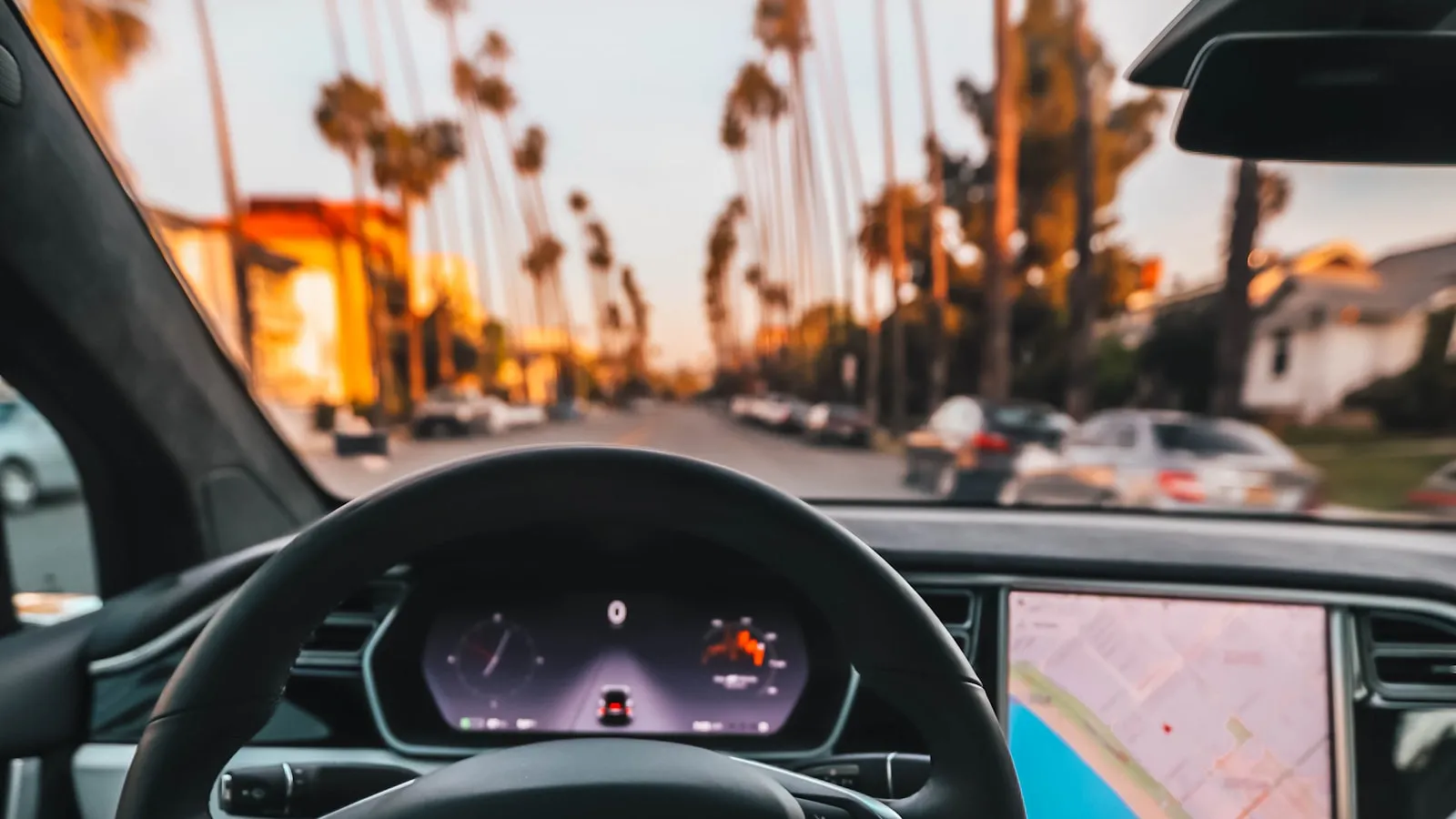
If you bought a Tesla Model 3, Y, or Cybertruck and discovered the garage door opener (HomeLink) wasn’t included, you’re not alone. Tesla removed HomeLink from standard equipment on Model 3 in May 2019, with Model Y and Cybertruck following. The retrofit module costs $350 from Tesla Service. A lot of Tesla owners don’t want to pay that.
This article walks through seven real alternatives — what they cost, what they actually do, and which one fits which Tesla owner. It’s the most-asked question on r/TeslaLounge (“Garage door opener other than HomeLink” has been a top-ranking thread for years), and the answer depends on whether you want subscription-free, hands-free, or just-make-it-work.
Quick context for the cost-pressure framing: HomeLink isn’t expensive because it’s a $350 part. It’s a Gentex-licensed module that costs Tesla somewhere between $100 and $200 per unit (per industry estimates; Gentex doesn’t publish their licensing fee). The $350 is dealership pricing plus install labor. The aftermarket and DIY paths covered below are why so many Tesla owners skip the official module entirely.
Option 1: The physical clicker workaround — $0
The most-recommended option on r/TeslaLounge is also the cheapest: take the original garage door remote (the “clicker” that came with your opener) and stash it inside the Tesla cabin.
How owners install it:
- Behind the touchscreen, bottom-left side. Use double-sided 3M tape or Velcro. Out of sight, no aesthetic compromise. Multiple Reddit threads confirm this works reliably.
- In the center console under the lid. Reach in, press, close. Slightly more friction but completely hidden.
- Clipped to the visor. The “as-intended” option but visible and looks cluttered.
- In the seatback pocket. A few owners report this works for them, though it requires reaching back.
Pros:
- Free (you already own the clicker)
- No subscription
- No app
- Works offline — RF is local, no cloud round-trip
- Works with any opener brand your existing clicker is paired to
Cons:
- No auto-open. You press the button at every arrival.
- Multi-driver households need multiple clickers (one for each car).
- Security consideration: A visor or center-console clicker is a documented car-break-in risk. Thieves break into unlocked cars, take the clicker, and use it to enter the home. We covered this pattern in detail at Stolen Garage Opener: The Documented Cases. Lock the car and the risk drops dramatically.
Best for: Tesla owners who want the simplest possible setup with zero recurring cost, who don’t mind the manual button press, and who park inside the garage anyway (so the clicker isn’t visible from outside the car).
Option 2: myQ Connected Services subscription — $45/year and up
Tesla supports an in-cabin myQ integration that controls LiftMaster and Chamberlain garage doors through Chamberlain’s cloud. The button appears in the Tesla touchscreen’s app drawer, and the system supports GPS-based auto-open as the car approaches home.
Pricing tiers (billed directly by Chamberlain):
- $45/year
- $179/5 years
- $299/10 years
How it works:
- Your garage opener needs a myQ controller (LiftMaster/Chamberlain newer openers ship with this built in; older openers need a $30-50 add-on hub)
- The myQ controller needs to be online via your home Wi-Fi
- You link your myQ account to Tesla’s app via the in-car settings
- The Tesla app shows a “Garage” button that triggers the open command via cloud
- Optional: enable GPS-based auto-open so the door opens as the car approaches
Pros:
- No retrofit hardware required if your opener is myQ-compatible
- Built into the Tesla touchscreen — no separate app to install
- Status reporting visible on the car screen (door open/closed if controller reports back)
- Auto-open works on geofence approach
Cons:
- Subscription required
- LiftMaster / Chamberlain garage doors only — won’t work with Genie, Marantec, FAAC, or other brands
- Does not control driveway gates
- Cloud-dependent: car cellular + Chamberlain cloud + home Wi-Fi + myQ controller all need to be healthy for any press to work
- Multiple Tesla owners report reliability around 2/3 of the time (verbatim from @AustyUSA on X; similar reports on r/TeslaLounge)
- The closing direction has a federally-required audible beeping countdown before the door moves (UL safety regulation 16 CFR 1211) — not a bug but slower than HomeLink
Best for: Tesla owners with a LiftMaster or Chamberlain garage door, who want subscription-based convenience over hardware investment, and who don’t have a driveway gate to consider.
Option 3: Aftermarket smart garage controllers (Tailwind, Meross, Wyze, iSmartGate) — $30-150 one-time
A separate category of solutions: a Wi-Fi-connected module wired into your existing garage opener’s wall-button input, with a smartphone app for control and (in most cases) integration with HomeKit / Google Home / Alexa.
Tailwind iQ3 — $80-120
Tailwind is the most Tesla-friendly entry. Two-door kit, HomeKit + Google Home + Alexa support, optional vehicle sensor for full auto-open (required on iPhone, optional on Android). No subscription. We covered Tailwind in depth at Tailwind iQ3 Review.
Pros for Tesla: With the vehicle sensor, iPhone Tesla owners get auto-open behavior. HomeKit integration means you can trigger via Siri voice (“Hey Siri, open the garage”) through the Tesla’s carplay-equivalent voice button. Cons: Vehicle sensor adds cost on iPhone. No native Tesla touchscreen integration (works via Siri or app).
Meross Smart Garage — $30-50
Cheapest smart controller. Wi-Fi only (no Bluetooth). HomeKit + Google Home + Alexa support. Single-door kit at $30; two-door at $50. We covered Meross in depth at Meross Smart Garage Review.
Pros for Tesla: Cheapest path to HomeKit integration. Works on most opener brands via universal wall-button wiring. Cons: No native auto-open — you trigger via app or Siri voice. 2.4 GHz Wi-Fi only (no 5 GHz).
iSmartGate / Remootio — $80-150
More gate-focused than garage. iSmartGate and Remootio both work on garage doors AND driveway gates (most other smart controllers are garage-only). Geofence-based auto-open via phone GPS.
Pros for Tesla: Works on driveway gates. Multi-opener support. Cons: Phone-based geofence inherits iOS background-location unreliability (Apple’s Core Location recommends ~100m minimum radius). We documented this pattern across multiple Reddit threads.
Wyze Garage Door Controller — $30
Wyze’s offering — $30, Wi-Fi based, requires the Wyze app. Several Reddit users report reliability is good but the ecosystem feels less polished than Meross or Tailwind.
Pros for Tesla: Cheapest reliable smart-controller path. Cons: Wyze ecosystem; less HomeKit polish than alternatives.
Best for (this whole category): Tesla owners who want app-based control + smart-home integration (HomeKit, Google Home, Alexa) without a recurring subscription. The Tailwind iQ3 path with the vehicle sensor is the closest aftermarket gets to HomeLink’s seamless feel.
Option 4: Apple HomeKit + Siri Shortcuts (via Homebridge or HomeKit-compatible opener) — Free to $50
Several Reddit threads describe Tesla owners using Apple Shortcuts to create a “Hey Siri, open the garage” voice command that triggers a HomeKit-compatible garage controller. The path:
- Install a HomeKit-compatible smart garage controller (Meross, Tailwind, iSmartGate)
- Add the controller to your iPhone’s Home app
- Create a Siri Shortcut named “Open garage”
- Use the Tesla’s steering wheel voice button to invoke Siri, then say “Open garage”
For owners with non-HomeKit-native openers (older Chamberlain/LiftMaster), Homebridge is the open-source bridge that exposes any device to HomeKit. Add the myQ plugin to Homebridge and your myQ opener becomes HomeKit-accessible without paying Chamberlain’s Tesla integration subscription.
Pros:
- Voice control through Tesla’s steering wheel button
- No HomeLink hardware needed
- No subscription if you skip myQ’s Tesla tier
- Works alongside your existing iPhone ecosystem
Cons:
- Requires Apple ecosystem comfort
- Voice trigger isn’t as seamless as a single tap
- Homebridge for myQ-without-subscription requires running Homebridge on a Raspberry Pi or always-on Mac
Best for: Apple-ecosystem Tesla owners who want voice control without a subscription, and who are comfortable with at least minor home-server setup.
Option 5: Home Assistant + RATGDO / Shelly / Aqara — $15-60 (plus existing HA host)
The DIY path. If you already run Home Assistant, you can wire a $15-60 controller into your opener and expose it locally to HA, then build a Tesla-trigger automation.
- RATGDO ($50-100): LiftMaster Security+ 2.0 garage doors specifically. Local-only, no cloud, full HA integration. We covered RATGDO at ratgdo Review.
- Shelly 1 ($15-25): Generic Wi-Fi relay. Wire to opener wall-button input. Full HA integration.
- Aqara T2 ($30-40): Zigbee-based, supports HomeKit + HA. Multi-protocol bridge friendly.
Combine with Home Assistant’s Tesla integration to trigger garage open/close from Tesla app events or GPS-based zone triggers.
Pros:
- Cheapest long-term cost
- Local-only, no cloud
- Full configurability via HA automations
- Auto-open behavior via HA zone trigger (more aggressive iOS background permissions than third-party apps)
Cons:
- Requires Home Assistant or similar local home-automation host
- DIY install (wiring, configuration)
- Not a fit for non-technical Tesla owners
Best for: Tesla owners who already run Home Assistant or who want to.
Option 6: HomeLink module from eBay + DIY self-install — $150-200
Multiple Reddit threads recommend buying the official Tesla HomeLink module on eBay or Tesla Motors Club forums and installing it yourself. Used or new-old-stock modules typically sell for $150-200, roughly half the Tesla Service price.
Important caveats:
- Pre-Highland Model 3 and pre-Juniper Model Y: Self-install takes 15-30 minutes per Reddit guides. Tools required: Phillips screwdriver, plastic trim removal tools. The HomeLink module mounts in the rear-view mirror area and plugs into the existing wiring harness.
- Refreshed Highland Model 3 and Juniper Model Y: Self-install requires front-bumper-area access to route the module through new wiring paths. Much harder DIY. Tesla Service usually wins on these models.
- Cybertruck: No DIY path. The Cybertruck wiring harness does not support a HomeLink module. Skip this option.
Pros:
- Half the cost of Tesla Service
- Same functionality as factory-installed
- Works with Tesla’s built-in Garage Auto-Open feature
- No subscription
Cons:
- DIY install voids Tesla warranty on related electrical components
- Harder install on refreshed Highland / Juniper Model 3 / Y
- Not an option on Cybertruck at all
Best for: Pre-2024 Model 3 / Model Y owners comfortable with basic DIY install who want the official HomeLink experience for half the price.
Option 7: Dedicated hands-free hardware (Proxly) — pre-launch
A small windshield-mounted Tag with its own GPS communicates with a Hub wired into the opener’s wall-button input. The Tag triggers the opener as the vehicle approaches; no phone, no app, no button press. Designed for any car (including Cybertruck) and any opener brand (not limited to LiftMaster/Chamberlain).
Pros:
- Hands-free arrival on any Tesla — including Cybertruck where HomeLink isn’t an option
- Works with any opener brand (LiftMaster, Chamberlain, Genie, Marantec, Liftmaster commercial, FAAC, Nice/Apollo, etc.)
- Handles gates AND garages off the same Hub
- No subscription, no cloud round-trip, no Wi-Fi requirement at arrival
- Tag has its own GPS, so the trigger isn’t bound by iOS background-location reliability or Tesla’s geofence radius
- The Tag includes built-in anti-theft protection (becomes non-functional once removed from the car) — addresses the documented clicker theft pattern
Cons:
- Pre-launch as of 2026. Not currently shipping.
- One-time hardware cost (TBD at launch)
- Edge cases not yet supported in v1: motorcycles, topless convertibles, commercial gates with no dry-contact input
Best for: Tesla owners — especially Cybertruck owners — who want hands-free arrival without subscription, who have non-Chamberlain garage doors, or who have driveway gates that myQ can’t handle. Pre-launch reservations and updates at r/proxly.
At-a-glance comparison
| Option | Cost | Subscription | Hands-free | Works on Cybertruck | Works with non-Chamberlain |
|---|---|---|---|---|---|
| Physical clicker workaround | $0 | No | No | Yes | Yes (any opener) |
| myQ Connected Services | $45/yr | Yes | Yes (GPS) | Yes | No (Chamberlain only) |
| Tailwind iQ3 | $80-120 | No | Partial (with sensor) | Yes | Yes |
| Meross Smart Garage | $30-50 | No | No | Yes | Yes |
| HomeKit + Siri Shortcuts | $0-50 | No | No (voice) | Yes | Yes |
| Home Assistant + RATGDO | $15-60 + HA | No | Yes (zone trigger) | Yes | Limited (S+ 2.0) |
| eBay HomeLink + DIY | $150-200 | No | Yes (built-in) | No | Limited |
| Tesla Service HomeLink | $350 | No | Yes (built-in) | No | Limited |
| Proxly (pre-launch) | TBD | No | Yes | Yes | Yes |
Which option fits your Tesla situation
You want the cheapest option, period: Physical clicker workaround. $0, works on any opener, no subscription. Just press the button.
You have a LiftMaster or Chamberlain garage door + want auto-open + don’t mind subscription: myQ Connected Services. $45/year, integrates into the Tesla touchscreen, GPS-based auto-open.
You want app-based control + HomeKit/Google Home integration without subscription: Tailwind iQ3 ($80-120) or Meross ($30-50). Cheaper hardware than myQ in 1-2 years.
You already run Home Assistant: RATGDO (if you have LiftMaster Security+ 2.0) or Shelly 1 (anything else). $15-60 in hardware.
You have a pre-Highland Model 3 or pre-Juniper Model Y and want the factory HomeLink experience for half the price: eBay HomeLink module + DIY install. $150-200.
You drive a Cybertruck: Skip the HomeLink retrofit options entirely. Choose between myQ (if Chamberlain), Tailwind/Meross (any opener), or pre-launch hardware like Proxly. Cybertruck’s HomeLink situation has no official retrofit path.
You have a driveway gate AND a garage: myQ doesn’t work for gates. Use iSmartGate or Remootio for the gate, Tailwind/Meross for the garage. Or wait for Proxly (one Hub handles both).
You want a single device that works on any car you own next + any opener brand + no subscription: Pre-launch hardware like Proxly is the only path that hits all three. Reserve and follow at r/proxly.
Bottom line
There’s no “best” HomeLink alternative for Tesla — there’s the right one for your specific opener brand, your subscription tolerance, your handsfree priorities, and which Tesla model you drive.
The most-recommended free option (physical clicker behind the screen) covers most owners’ actual needs. The most-recommended paid option for LiftMaster/Chamberlain owners is myQ. The most-recommended aftermarket option is Tailwind. The most-recommended DIY option is Home Assistant + RATGDO.
For Cybertruck owners, the official HomeLink retrofit doesn’t exist. The choice is between myQ ($45/year), aftermarket controllers, or waiting on pre-launch dedicated hardware.
Frequently asked questions
Why doesn’t my Tesla have HomeLink?
Tesla removed HomeLink from standard equipment on Model 3 in May 2019, citing cost and margin pressure on a high-volume vehicle. Model Y launched without HomeLink standard. Cybertruck shipped without HomeLink and without any factory retrofit path. The original Model S and Model X still include HomeLink standard. To add HomeLink to a Model 3, Y, or Cybertruck (where supported), you’d need to schedule a Tesla Service appointment for the retrofit module, which costs $350 installed.
What’s the cheapest way to open my garage from my Tesla?
The cheapest reliable method is free: take the physical garage door clicker that came with your opener and tuck it behind the Tesla’s touchscreen, on the bottom-left side of the screen, or in the center console. Multiple Reddit threads on r/TeslaLounge confirm this works reliably with zero subscription cost.
Is myQ a good alternative to HomeLink on Tesla?
myQ Connected Services on Tesla costs $45/year, $179/5 years, or $299/10 years and integrates into the in-car Tesla app with GPS-based auto-open. It works only on LiftMaster and Chamberlain garage doors. Reliability depends on the cloud chain — multiple Tesla owners on Reddit and Twitter have reported it works “about 2/3 of the time.” Best for owners with LiftMaster or Chamberlain garage doors who want subscription-based auto-open without the $350 hardware investment.
Does Tailwind work with Tesla?
Yes. Tailwind iQ3 wires into your garage opener’s wall-button input and supports Apple HomeKit, Google Home, and Alexa for $80-120 one-time, no subscription. iPhone Tesla users need the optional vehicle sensor for full auto-open behavior; Android users can use Tailwind’s bluetooth detection.
Can I install a HomeLink module in my Tesla myself?
Possible but not officially recommended by Tesla. Used Tesla HomeLink modules from eBay sell for $150-200. Self-install on pre-Highland Model 3 and pre-Juniper Model Y takes 15-30 minutes. Refreshed Highland Model 3 and Juniper Model Y require front-bumper-area access. Cybertruck has no install path at all.
Will any garage door opener work with myQ on Tesla?
No. myQ is the cloud platform for LiftMaster and Chamberlain garage door openers only. It does not work with most other residential opener brands (Genie, Marantec, etc.) without third-party adapters, and it does not work with driveway gates at all.
What about Cybertruck specifically?
Cybertruck shipped without HomeLink and without a factory retrofit option. Cybertruck owners are limited to the physical clicker workaround, myQ subscription (if Chamberlain garage), aftermarket smart controllers like Meross/Tailwind, DIY home automation, or pre-launch hardware like Proxly that doesn’t require HomeLink at all.
Last updated: 2026-05-27. This article reflects information available at the time of writing and is presented to the best of our knowledge from publicly available sources including Electrek, r/TeslaLounge community discussion, Tesla Motors Club forum threads, manufacturer documentation, and product reviews. Subscription pricing, hardware availability, opener compatibility, and product feature behavior change frequently; please verify current details directly with each manufacturer before making a purchase decision. Proxly is an independent product and is not affiliated with, sponsored by, or endorsed by Tesla, Inc., The Chamberlain Group LLC, LiftMaster, Genie, Marantec America, Tailwind, Meross Technology, iSmartGate, Remootio, Konnected, Wyze, or any other company mentioned. All product names, logos, and trademarks are the property of their respective owners. If you spot an inaccuracy or have a correction, please email getproxly@gmail.com.
Frequently asked questions
- Tesla removed HomeLink from standard equipment on Model 3 in May 2019, citing cost and margin pressure on a high-volume vehicle (per Electrek's coverage at the time). Model Y launched without HomeLink standard. Cybertruck shipped without HomeLink and without any factory retrofit path. The original Model S and Model X still include HomeLink standard. To add HomeLink to a Model 3, Y, or Cybertruck (where supported), you'd need to schedule a Tesla Service appointment for the retrofit module, which costs $350 installed.
- The cheapest reliable method is free: take the physical garage door clicker that came with your opener and tuck it behind the Tesla's touchscreen, on the bottom-left side of the screen, or in the center console. Multiple Reddit threads on r/TeslaLounge confirm this works reliably with zero subscription cost. The trade-off is no auto-open — you tap the clicker each arrival rather than the door opening automatically as the car approaches.
- myQ Connected Services on Tesla costs $45/year, $179/5 years, or $299/10 years and integrates into the in-car Tesla app with GPS-based auto-open. It works only on LiftMaster and Chamberlain garage doors. Reliability depends on the cloud chain (your home Wi-Fi, Chamberlain's servers, the car's cellular connection all need to be healthy). Multiple Tesla owners on Reddit and Twitter have reported it works 'about 2/3 of the time' — better than nothing, less reliable than HomeLink's direct RF. Best for owners with LiftMaster or Chamberlain garage doors who want subscription-based auto-open without the $350 hardware investment.
- Yes. Tailwind (iQ3 and earlier models) wires into your garage opener's wall-button input and supports Apple HomeKit, Google Home, and Alexa for $80-120 one-time, no subscription. On Tesla, you can trigger Tailwind via CarPlay-equivalent shortcuts or Siri voice on iPhone. iPhone users need the optional Tailwind vehicle sensor for full auto-open behavior; Android phones can use Tailwind's bluetooth detection without the extra sensor. Reliability is generally better than myQ because there's no cloud round-trip required for local open/close.
- Possible but not officially recommended by Tesla. Used Tesla HomeLink modules from eBay or Tesla Owner Online forums sell for $150-200. Self-install on pre-Highland Model 3 and pre-Juniper Model Y takes 15-30 minutes (Reddit threads describe the procedure). Refreshed Highland Model 3 and Juniper Model Y require front-bumper-area access to route the module, making DIY install much harder. Cybertruck has no install path at all because the wiring harness doesn't support a HomeLink module. If you go DIY, Tesla won't honor warranty on related electrical work, so weigh that against the $200 savings vs Tesla Service install.
- No. myQ is the cloud platform for LiftMaster and Chamberlain garage door openers (both part of Chamberlain Group). It does not work with most other residential opener brands (Genie, Marantec, Liftmaster commercial, Aladdin, etc.) without third-party adapters. It does not work with driveway gates at all. If your garage door is LiftMaster or Chamberlain, myQ integration works. If it's a different brand, you'll need an aftermarket smart controller like Meross, Tailwind, or iSmartGate that supports your specific opener.
- Cybertruck shipped without HomeLink and without a factory retrofit option — there's no HomeLink module Tesla Service can install. Cybertruck owners are limited to: (1) the physical clicker workaround (most popular), (2) myQ Connected Services if you have a LiftMaster/Chamberlain garage door ($45/year), (3) aftermarket smart controllers like Meross/Tailwind, (4) DIY home automation, or (5) pre-launch hardware like Proxly that doesn't require HomeLink at all. The Cybertruck HomeLink gap is the biggest reason third-party alternatives are gaining attention from premium-EV buyers.
Why doesn't my Tesla have HomeLink?
What's the cheapest way to open my garage from my Tesla?
Is myQ a good alternative to HomeLink on Tesla?
Does Tailwind work with Tesla?
Can I install a HomeLink module in my Tesla myself?
Will any garage door opener work with myQ on Tesla?
What about Cybertruck specifically?
Keep reading
Tesla HomeLink vs Rivian HomeLink: Two Different Philosophies
Tesla and Rivian both ship HomeLink, but they implement it differently. Here is what changes in practice — and where both fall short at the driveway gate.
Tesla Sentry Mode and Your Driveway Gate
Sentry Mode activates every time your Tesla parks. Here is what that means for driveway gate hardware, how to avoid false alerts, and how to set a home exclusion zone.
Tesla 1114984-00-B Guide: HomeLink Module Cost, Install, and Which Models It Fits
What the Tesla HomeLink module 1114984-00-B is, which Teslas it fits, real pricing, DIY install, and the vopt2 software activation that often gets skipped.