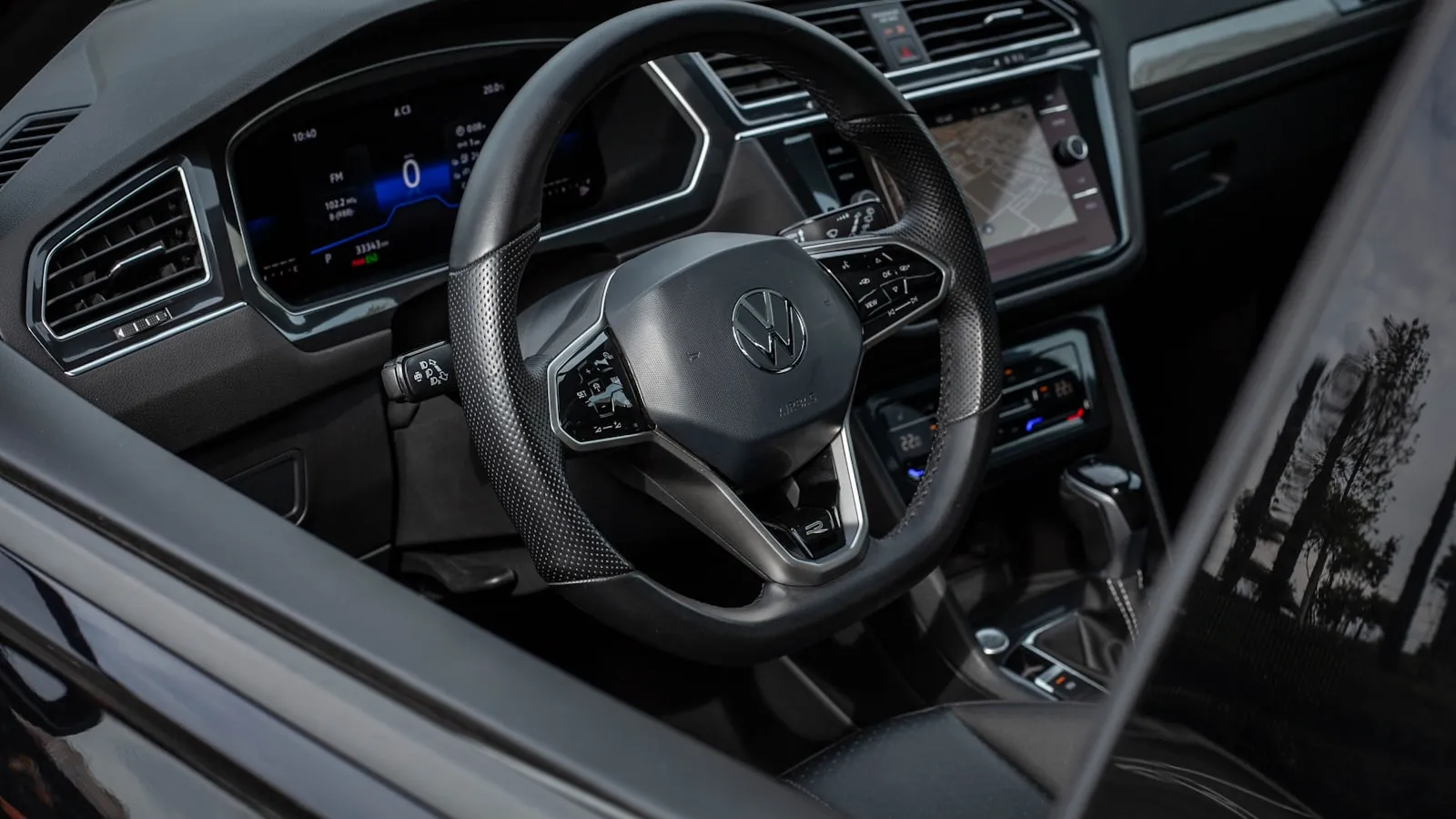
For nearly thirty years, HomeLink has been the default answer to “how do I open my garage from my car.” If you’ve ever pressed a small button in your visor or rearview mirror to open a garage door or driveway gate, you’ve used it. This review walks through what HomeLink is, how it works, what it costs, where it falls short, and the modern alternatives in 2026 — including a section on the situations where Proxly is a better fit.
About HomeLink
HomeLink was developed by Prince Corporation in the early 1990s and acquired by Gentex Corporation in 2013. Gentex licenses HomeLink to nearly every major automotive manufacturer in North America. The system has shipped in well over 100 million vehicles since launch, making it one of the most quietly successful pieces of automotive electronics in history.
The basic premise has not changed since 1996: a small RF transmitter built into the car (originally the visor, now usually the rearview-mirror housing or overhead console) learns the radio signal from your existing garage door remote and then transmits the same signal when you press the HomeLink button. The opener thinks the press came from the original remote. No subscription, no app, no cloud — just RF.
HomeLink covers most of the residential garage door and driveway gate market through its frequency support (currently 288 MHz, 310 MHz, 315 MHz, 390 MHz, 418 MHz, and 433 MHz on the latest generations) and its support for multiple rolling-code protocols. The system is mature, well-supported by automakers, and broadly compatible with the openers most US households actually have installed.
Overview of HomeLink products
HomeLink is not a product the consumer buys directly. It is built into the car. The variations matter because they affect compatibility and capability.
Factory-installed HomeLink (the standard path)
Most vehicles from 1996 onward include HomeLink in either the visor (older designs) or the rearview-mirror housing or overhead console (newer designs). The three programmable buttons are visible on the housing itself. No additional purchase is required; you program HomeLink to your existing opener via a process documented in the car’s owner manual.
Generation differences
HomeLink has gone through five major generations to date. The newest (HomeLink 5) ships on most 2020-and-later vehicles and supports the broadest frequency and protocol range. Older generations may not support the newest rolling-code protocols (specifically LiftMaster Security+ 2.0 introduced in 2011, and Security+ 3.0 introduced in 2024). Cars older than roughly 2011 may struggle to pair with newer openers without a HomeLink retrofit.
Retrofit options for cars without factory HomeLink
Several paths exist for adding HomeLink to a car that did not include it from the factory:
- Tesla HomeLink retrofit module — approximately $300-$350 from Tesla Service, requires a service appointment, supports three channels. Available for Model 3, Model Y, and Cybertruck (which do not include HomeLink as standard equipment).
- Honda dealer-installed HomeLink mirror upgrade — $175-$461 depending on trim and dealer, on 2026 Honda CR-V and other models that un-defaulted HomeLink to optional status.
- Aftermarket HomeLink-equipped rearview mirrors — companies including Bob’s Mirrors sell HomeLink-equipped replacement mirrors for many car brands at $150-$400 with self-install or installer support.
- HomeLink Compass mirrors — older replacement mirrors that combine HomeLink with a digital compass; still available for many vehicles.
HomeLink review
Features
HomeLink’s feature set is intentionally minimal:
- Three programmable channels per HomeLink unit (open three different doors or gates from one mirror)
- One-button activation (press the assigned button; the corresponding opener fires)
- Powered by the car (no batteries to replace; HomeLink draws power from the vehicle’s electrical system whenever the car is on)
- Frequency support across 288-433 MHz on the latest generation, covering most US residential openers
- Bidirectional door status on some HomeLink 5 installations paired with compatible openers (the mirror or in-dash display shows whether the door is open or closed)
What HomeLink does NOT include:
- App-based control (HomeLink is RF only; there is no HomeLink phone app for opening from outside the car)
- Schedules or auto-close timers (those live in the opener’s own logic, not HomeLink)
- Smart-home integration (HomeLink does not appear in HomeKit, Google Home, or Alexa as a controllable device on its own; Tesla and Rivian add geofence-triggered HomeLink as a separate feature in the car)
- Hands-free arrival (HomeLink still requires you to press the button; the Tesla Garage Auto-Open and Rivian arrival features build on HomeLink hardware but are car-vendor implementations, not HomeLink features)
Pricing
If HomeLink came with your car from the factory, it is free to use. There is no subscription, no licensing fee, no per-press charge.
If your car did not include HomeLink, the retrofit cost depends on the path:
- Tesla HomeLink retrofit module: ~$300-$350 from Tesla Service
- Honda dealer-installed mirror upgrade: $175-$461 depending on trim
- Aftermarket HomeLink-equipped mirrors (most other car brands): $150-$400 self-install or installer-installed
These are one-time costs. Once installed, HomeLink has no ongoing fees.
Pros
- No subscription, ever. HomeLink is RF hardware. There is no cloud account, no software-as-a-service, no annual renewal. Once paired, it works as long as the car has power.
- Broadest opener compatibility in the category. HomeLink covers LiftMaster, Chamberlain, Genie, FAAC, DoorKing, Nice, Apollo, Mighty Mule, Linear, Multi-Code, Stanley, and most other US residential brands across the major rolling-code generations.
- Built into the car. Nothing extra to mount, nothing to forget when you leave the house. The button is always where you parked it.
- Battery-free. Unlike a visor clicker (which has a CR2032 or similar that dies every few years), HomeLink is powered by the car. There is no battery to replace.
- Mature support. Every major automaker’s dealer service department knows HomeLink. Most opener installers know HomeLink. Documentation and troubleshooting guides are widely available.
- Privacy posture. HomeLink is RF only and does not transmit to the cloud. The pairing data lives in the car; the trigger signal goes only to the opener within RF range.
Cons
- Still requires a button press at every arrival. HomeLink removes the need to carry a separate clicker, but the arrival flow still involves reaching for the visor or mirror. Households where the daily reach is the actual friction find HomeLink no better than a clicker on this axis.
- Not on every car anymore. Tesla Model 3, Model Y, and Cybertruck ship without HomeLink. 2026 Honda CR-V and several other Honda trims moved HomeLink to a paid mirror upgrade. Lower-trim premium EVs are increasingly leaving HomeLink off the standard equipment list. Households expecting HomeLink as a given may be surprised at the dealership.
- Three-channel limit. A household with a gate, a garage, a guesthouse gate, and a community-association gate exceeds HomeLink’s capacity. The fourth opener requires a separate clicker.
- Rolling-code mismatches cause silent failures. When the HomeLink module’s firmware does not handle the opener’s specific rolling-code protocol (Security+ 2.0 from 2011, Security+ 3.0 from 2024, or others), pairing appears to succeed on the car’s display but the opener does not move. The diagnostic process is non-obvious and many households end up at “I think HomeLink is broken” when the actual issue is protocol mismatch.
- Pairing requires physical access to the opener. For most rolling-code openers, programming HomeLink involves pressing the LEARN button on the opener’s motor head within ~30 seconds of training the visor button. This is awkward on commercial-grade gate operators that may be 50 feet from where you parked the car.
- No state awareness on most installations. Most HomeLink installations are open-loop — the visor button transmits a signal, but the car has no way to know whether the door actually moved. Households that want “did the garage door close?” confirmation generally need a separate smart-home product layered on top.
- No hands-free arrival on its own. The geofence-based “Garage Auto-Open” features in Tesla and Rivian vehicles use HomeLink hardware as the transmitter but the geofence trigger is a car-vendor feature, not a HomeLink feature. The flakiness of those auto-open features (gate opens too early on the public road, or doesn’t fire on the way home) is inherited from the ~50m OS-API floor on phone and car geofences, not from HomeLink itself.
HomeLink vs Proxly
HomeLink and Proxly approach the “open my garage or gate from the car” problem with different architectures and different default experiences. HomeLink is an RF transmitter built into the car, activated by a button press. Proxly is a windshield-mounted Tag with its own GPS that triggers a Hub at the opener as the car arrives, with no button press required.
| Feature | Proxly | HomeLink |
|---|---|---|
| Hands-free arrival (no button, no app tap) | Yes | No (button press required) |
| Works on cars without factory HomeLink | Yes | No (requires retrofit, $150-$461) |
| Works with any opener brand | Yes | Most brands; some rolling-code generations unsupported |
| Works on driveway gates | Yes | Most residential brands; some commercial gates unsupported |
| Supports more than 3 openers per household | Yes | No (3-channel limit per HomeLink unit) |
| Free app: remote open/close, schedules, notifications | Yes | No app on HomeLink itself |
| Free smart-home integration (HomeKit, Google Home, Alexa) | Yes | No (HomeLink itself is RF only) |
| Battery-free / car-powered | Tag is self-contained; Hub is wall-powered | Yes (car-powered) |
| No subscription required | Yes | Yes |
| Anti-theft protection on in-car device | Yes (Tag non-functional if stolen) | Built into car; not removable so no parking-lot theft risk |
| Hardware cost | $179-$229 single-stack at GA | $0 if factory; $150-$461 if retrofit |
| Established brand history | Founded 2025 | 30+ years, 100M+ vehicle installs |
| Largest installed base in category | No | Yes (by a very wide margin) |
What HomeLink does better
HomeLink has 30 years of installed base, a mature licensing relationship with nearly every automaker, and a level of brand familiarity that nothing else in this category can match. If HomeLink came with your car, it costs nothing, requires no install effort, and works with most residential openers out of the box. For a household with a single garage, a single car that has HomeLink, and no daily frustration with the visor reach, HomeLink is genuinely the right answer.
HomeLink is also bolted into the car, which means there is no separate device to steal from a parked car at a parking lot. The standard car-break-in-to-house-burglary pattern (steal the visor clicker, read the home address off the registration, drive to the house) does not work with HomeLink because the HomeLink module stays with the car.
What Proxly does better
For households where any of these conditions apply, Proxly is the cleaner fit:
- The car does not have factory HomeLink. Cybertruck, Model 3 in standard trim, the un-defaulted 2026 Honda CR-V, and several other recent vehicles ship without it. Proxly’s Tag mounts to any windshield and does not depend on the car including HomeLink.
- The household has more than three openers. A gate plus a garage plus a guesthouse plus a community-association gate exceeds HomeLink’s three-channel limit. Proxly supports multiple openers off a single Hub, with no cap on Tag count.
- HomeLink does not pair cleanly with the opener. Rolling-code mismatches on Security+ 2.0 and Security+ 3.0, frequency limitations on older HomeLink generations, and proprietary RF on some gate brands all leave HomeLink-equipped owners unable to use the visor button. Proxly triggers via dry-contact on the opener’s wall-button input, sidestepping the RF protocol entirely.
- Hands-free arrival is the actual daily friction. HomeLink removes the clicker but not the press. Proxly removes the press itself — the Tag’s GPS triggers the Hub as the car arrives.
- Multi-driver households where each driver wants their own access. Proxly supports per-Tag pairing so every household member has their own credential, with no shared visor button or shared phone.
Why Proxly is a strong alternative
If you fit one or more of the situations above, the decision case for Proxly comes down to four points:
- Coverage. Proxly works on any car, any opener brand, any rolling-code generation, and on driveway gates as well as garages. HomeLink’s coverage is broad but not universal, and the gaps are growing as more vehicles ship without it.
- Hands-free experience. HomeLink is press-the-button. Proxly is no-button-at-all. Once experienced, the difference is hard to give up.
- Multi-opener and multi-driver support. Proxly scales past HomeLink’s three-channel limit and supports per-Tag credentials for every household member.
- No subscription, no cloud, no rug-pull risk. Both HomeLink and Proxly are subscription-free. Proxly adds local-radio operation with no cloud on the critical path, and a hardware-only business model that structurally cannot be paywalled later.
Proxly is built for the cases where HomeLink doesn’t quite fit — newer cars without factory HomeLink, multi-opener households, gate brands HomeLink struggles to learn, and homes where hands-free arrival is the actual daily friction. If that’s your situation, learn more at getproxly.com.
If your situation is a clean HomeLink fit — your car has it from the factory, you have one or two openers, the visor reach is fine — HomeLink is genuinely the right answer and the right move is probably to stay with what works.
Frequently asked questions
Is HomeLink free to use?
HomeLink has no subscription. If your car includes HomeLink from the factory, the visor or rearview-mirror button is free to use once it has been paired to your opener. If your car did not include HomeLink, retrofit options range from $150 for aftermarket mirrors to $350 for the Tesla HomeLink retrofit module to $461 for some Honda dealer-installed mirror upgrades.
Which cars come with HomeLink?
HomeLink is standard or optional equipment on most vehicles from Acura, Audi, BMW, Buick, Cadillac, Chevrolet, Chrysler, Dodge, Ford, GMC, Honda (mid-trim and above on most models), Hyundai, Jeep, Kia, Land Rover, Lexus, Lincoln, Mazda, Mercedes-Benz, Mitsubishi, Nissan, Porsche, Ram, Rivian, Subaru, Toyota, Volkswagen, and Volvo. Tesla Model S and Model X include HomeLink standard; Tesla Model 3, Model Y, and Cybertruck do not include it from the factory and require an aftermarket retrofit. Check the owner’s manual for your specific year and trim.
Why does my HomeLink button not work?
Most HomeLink failures fall into a few patterns: the button was never paired correctly because the second step (pressing the LEARN button on the opener’s motor head within ~30 seconds of training the visor button) was skipped; the opener’s rolling-code counter has drifted out of sync and needs a re-pair; the HomeLink module supports a different frequency range than the opener uses; or the opener uses a newer rolling-code protocol (Security+ 2.0 or 3.0) that the HomeLink module’s firmware does not handle correctly. A walk-through diagnostic is in our HomeLink-not-working troubleshooting guide.
Does HomeLink work with my driveway gate?
HomeLink works with many residential gate operators including LiftMaster, FAAC, DoorKing, Nice/Apollo, Mighty Mule, and others — but not all. The pairing depends on the gate operator’s RF protocol and frequency. Older fixed-code openers pair easily; newer rolling-code openers require the second-step pairing process. Some commercial-grade gate operators use proprietary protocols that HomeLink cannot learn at all.
Why does HomeLink need a retrofit on my new Tesla Model 3?
Tesla offers HomeLink as standard equipment on Model S and Model X but not on Model 3, Model Y, or Cybertruck. The retrofit module is sold by Tesla Service for approximately $300-$350, requires a service appointment to install, and supports three programmable channels. The decision to make HomeLink optional on the Model 3 series is a Tesla cost-trim choice; the hardware itself is the same Gentex module used in standard installations.
What are the best alternatives to HomeLink?
The case for moving beyond HomeLink usually comes down to one of these: HomeLink is not on the car you drive, the household has more than three openers, HomeLink struggles with the specific opener brand or rolling-code generation, or the button press itself is the friction worth removing. Proxly is built for these cases — it works on any car (any windshield), any opener brand, any rolling-code generation including Security+ 3.0, supports multi-Tag households for unlimited drivers and openers, and triggers hands-free as your car arrives via a Tag with its own GPS. Learn more at getproxly.com.
Last updated: 2026-05-24. This review reflects information available at the time of writing and is presented to the best of our knowledge from publicly available sources. Pricing, vehicle availability, retrofit options, and product features may change after publication; please verify current details directly with the manufacturer before making a purchase decision. Proxly is an independent product and is not affiliated with, sponsored by, or endorsed by Gentex Corporation, HomeLink, or any other company mentioned in this article. All product names, logos, and trademarks are the property of their respective owners. If you spot an inaccuracy or have a correction, please email getproxly@gmail.com — we update reviews as new information becomes available.
Frequently asked questions
- HomeLink has no subscription. If your car includes HomeLink from the factory, the visor or rearview-mirror button is free to use once it has been paired to your opener. If your car did not include HomeLink, retrofit options range from about $150 for aftermarket mirrors to $350 for the Tesla HomeLink retrofit module to $461 for some Honda dealer-installed mirror upgrades.
- HomeLink is included as standard or optional equipment on most vehicles from Acura, Audi, BMW, Buick, Cadillac, Chevrolet, Chrysler, Dodge, Ford, GMC, Honda (mid-trim and above on most models), Hyundai, Jeep, Kia, Land Rover, Lexus, Lincoln, Mazda, Mercedes-Benz, Mitsubishi, Nissan, Porsche, Ram, Rivian, Subaru, Toyota, Volkswagen, and Volvo. Tesla Model S and Model X include HomeLink standard; Tesla Model 3, Model Y, and Cybertruck do not include it from the factory and require an aftermarket retrofit. Check the owner's manual for your specific year and trim.
- Most HomeLink failures fall into a few patterns: (1) the button was never paired correctly because the second step (pressing the LEARN button on the opener's motor head within ~30 seconds of training the visor button) was skipped, (2) the opener's rolling-code counter has drifted out of sync and needs a re-pair, (3) the HomeLink module supports a different frequency range than the opener uses, or (4) the opener uses a newer rolling-code protocol (Security+ 2.0 or 3.0) that the HomeLink module's firmware does not handle correctly. A walk-through diagnostic exists in our HomeLink-not-working troubleshooting guide.
- HomeLink works with many residential gate operators including LiftMaster, FAAC, DoorKing, Nice/Apollo, Mighty Mule, and others — but not all. The pairing depends on the gate operator's RF protocol and frequency. Older fixed-code openers pair easily; newer rolling-code openers require the second-step pairing process. Some commercial-grade gate operators use proprietary protocols that HomeLink cannot learn at all.
- Tesla offers HomeLink as standard equipment on Model S and Model X but not on Model 3, Model Y, or Cybertruck. The retrofit module is sold by Tesla Service for approximately $300-$350, requires a service appointment to install, and supports three programmable channels. The decision to make HomeLink optional rather than standard on the Model 3 series is a Tesla cost-trim choice; the hardware itself is the same Gentex module used in standard installations.
- The case for moving beyond HomeLink usually comes down to one of these: HomeLink is not on the car you drive, the household has more than three openers, HomeLink struggles with the specific opener brand or rolling-code generation, or the button press itself is the friction worth removing. Proxly is built for these cases — it works on any car (any windshield), any opener brand, any rolling-code generation including Security+ 3.0, supports multi-Tag households for unlimited drivers and openers, and triggers hands-free as your car arrives via a Tag with its own GPS. Learn more at [getproxly.com](https://getproxly.com).
Is HomeLink free to use?
Which cars come with HomeLink?
Why does my HomeLink button not work?
Does HomeLink work with my driveway gate?
Why does HomeLink need a retrofit on my new Tesla Model 3?
What are the best alternatives to HomeLink?
Keep reading
What FCC Part 15 Governs — and Why It Determines Which HomeLink Frequencies Work
Your HomeLink visor button is an FCC-regulated radio transmitter. Here's what Part 15 actually governs, why the frequency stack is fragmented, and what that means for pairing.
Programming HomeLink for a Mighty Mule Gate Opener
Most residential Mighty Mule gate openers use fixed-code 315 MHz remotes — no rolling-code dance required. Here is the exact HomeLink training procedure and what to do when range falls short.
How to Program Lexus HomeLink: RX, LX, GX, NX, and ES
Step-by-step guide to programming Lexus HomeLink on RX, LX, GX, NX, and ES — where the buttons are, the rolling-code two-step, and five fixes when training stalls.