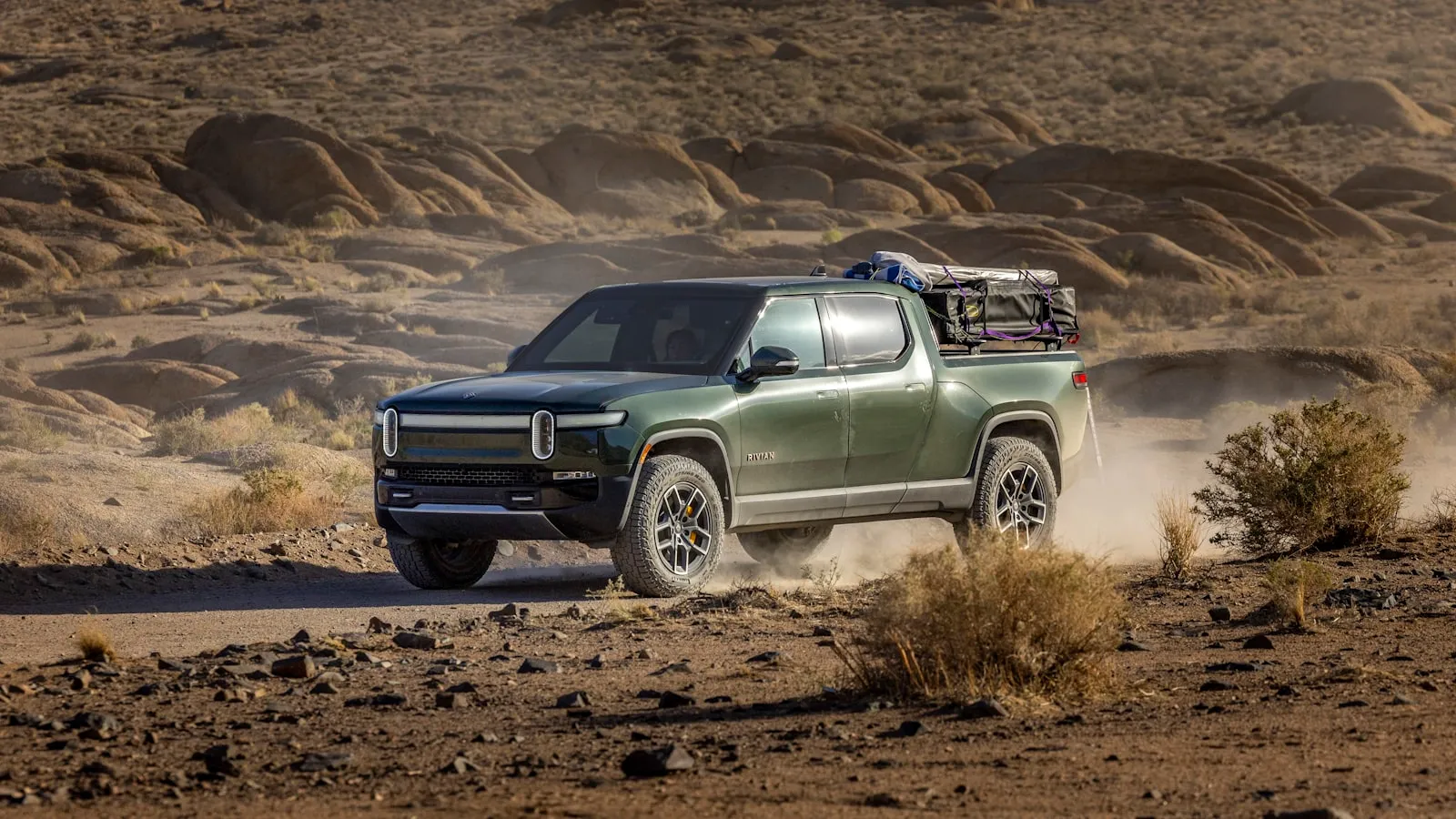
To program HomeLink on the Rivian R1S, open the touchscreen settings, select an empty overhead-console button, then hold your gate or garage remote 1–3 inches away and press both until the indicator blinks fast. For rolling-code driveway gates, you also press the LEARN button at the opener within 30 seconds — that expired window is the top reason pairing fails. The R1S uses the same HomeLink hardware as the R1T, and this guide also covers getting range back after a 12V service.
The driveway gate is where R1S owners hit different terrain. The R1T is a pickup, and its gate runs are usually quick: drive up, press the button, drive through. The R1S is a three-row family SUV, often the household’s primary car, so it makes more daily trips through the gate. That frequency surfaces failure patterns the pickup crowd doesn’t always notice.
Where to Find HomeLink on the R1S
The three HomeLink buttons sit in the overhead console above the driver’s seat — the same ceiling panel that holds the interior and map lights. On the R1S, they’re small rectangular buttons labeled 1, 2, and 3, and they backlight when the cabin lights are active.
You configure them through the vehicle’s touchscreen. Open the settings menu and navigate to HomeLink. You’ll see each button listed as empty or labeled with whatever you’ve previously programmed. To begin training a new button, select an empty slot and follow the on-screen prompts.
Programming: Fixed-Code Openers
For older openers using fixed codes — most units manufactured before the mid-1990s — the process takes two steps:
- Hold the original hand-held transmitter 1–3 inches from the HomeLink buttons in the overhead console.
- Simultaneously press and hold both the remote button and the HomeLink button you want to train. Hold both for 10–20 seconds until the HomeLink indicator blinks rapidly.
A rapid blink means the radio code was captured. Test from the car before assuming it worked — press the trained button from where you’d normally trigger the opener, and confirm it responds.
Programming: Rolling-Code Openers
Rolling-code systems — LiftMaster, Chamberlain, Genie, and most professional-grade gate operators — generate a new code with every transmission. There’s nothing fixed to capture, so the standard method above only completes half the process. These systems require a second step.
After the initial rapid blink from step 2 above:
- Go to the gate or garage opener’s control board.
- Find the LEARN button. On LiftMaster and Chamberlain units, it’s a small colored button near the antenna wire — yellow, purple, or orange depending on the protocol version.
- Press and release the LEARN button. The operator enters a learning window of roughly 30 seconds.
- Return to the car immediately. Press and hold the trained HomeLink button for 3 seconds, release, then press and hold again for 3 seconds. The opener should physically respond — motor activates, indicator light on the control board blinks, or the gate begins to move.
If nothing happens, the learning window almost certainly expired before the car received the final confirmation signal. Return to the opener, press LEARN again, and complete step 4 without pausing.
Why Driveway Gates Are More Difficult Than Garage Doors
This is the pattern R1S owners run into consistently, and it follows a predictable logic.
Garage door openers sit 10–15 feet from where the car parks inside. HomeLink’s effective range covers that gap without difficulty. Driveway gate operators sit at the edge of the property — often 30 to 100 or more feet from where the car approaches, mounted on a post that may not even face the car directly.
Two factors compound each other:
Distance during programming. HomeLink’s transmit power is limited by FCC Part 15 regulations. Practical range is typically 20–40 feet from the operator’s receiving antenna under real-world conditions. Programming through a gate post at 60 feet won’t work reliably. Park as close to the gate control board as physically possible — within 5 feet is the reliable target.
The LEARN window. Programming alone means walking between the car and the gate control board and pressing LEARN, then returning to the car and completing step 4, all within 30 seconds. If the board is locked in a weatherproof box or mounted high on the post, the walk takes longer than the window allows. The workaround is a second person at the opener, or a test button wire run to the LEARN terminal.
For a more detailed explanation of rolling-code mechanics and why this problem is structural, see why HomeLink stops working with driveway gates.
When Range Drops After Working Fine
HomeLink range can decline without an obvious trigger. Common causes:
Interference from nearby RF devices. Equipment on the same frequency band — certain wireless sensors, solar charge controllers, or handheld radios — can compress effective range from 30 feet to 10 or fewer without clearly breaking the connection. The symptom is inconsistency: works some days, fails others.
Opener antenna position. After a service call, if the gate operator’s antenna wire was repositioned or coiled rather than hanging straight, receive sensitivity drops noticeably. The standard is a straight, downward-hanging wire for maximum range.
Degraded pairing. Occasionally the original pairing loses quality without a clear cause. Re-training from scratch — clearing the button slot and repeating the full procedure — restores normal operation more reliably than troubleshooting the existing pairing.
12V battery service. A full Rivian 12V auxiliary battery disconnect can erase HomeLink memory or degrade pairing quality. If HomeLink stops responding after any battery service, reprogram the affected buttons from scratch.
Programming Two Vehicles to the Same Gate
In households with more than one vehicle, each needs its own HomeLink programming session against the gate opener. Each vehicle’s HomeLink module is its own radio transmitter — they don’t share codes or interfere with each other. The gate operator stores each vehicle’s code separately.
The practical constraint: each vehicle requires its own LEARN-button cycle. For a gate operator with a 30-second window, run one vehicle’s session, wait a minute, then start the next. On most LiftMaster and FAAC operators, the number of stored remote codes is large enough that multiple vehicles don’t create a capacity problem.
For a parallel look at the R1T, the procedure is covered in the R1T companion guide — the programming steps are identical. The R1S’s taller roofline puts the overhead console at a slightly different height relative to gate posts, which occasionally affects line-of-sight at narrow entrances.
The wider EV arrival experience — coordinating gate timing, charge scheduling, and driveway automation — is covered in The Premium-EV Arrival Stack, which maps the full sequence from leaving the highway to the car on charge inside.
The Category One Step Up
HomeLink handles the 20- to 40-foot trigger zone reliably once programmed. Where it consistently falls short is at longer driveways — properties where the gate is far enough from the road that the car needs to be stopped at the gate entrance before the signal reaches the operator.
Vehicle-paired automatic gate opening sits at a different point in the arrival sequence. These systems — including Proxly — open the gate based on GPS proximity, well before the car reaches the entrance. For owners making six or more gate trips per day, that timing difference is the operational one.
The driveway gate glossary covers the full vocabulary for both layers of the stack: rolling code, Security+ 2.0, dry contact, vehicle credential.
References
- Rivian owner documentation and support: rivian.com/support
- HomeLink compatibility and programming guide: homelink.com
Frequently asked questions
- Open vehicle settings on the touchscreen and navigate to HomeLink. Select an empty button, then hold your original remote 1–3 inches from the overhead console and press both the remote and HomeLink button simultaneously for 10–20 seconds until the indicator blinks rapidly. For rolling-code openers, also press the LEARN button on the opener's control board within 30 seconds.
- Driveway gate operators use rolling-code protocols that require a two-step pairing process. The most common failure is an expired learning window: the gate's LEARN button stays active for only about 30 seconds. If the pairing didn't complete in time, press LEARN again on the opener, then immediately press the HomeLink button in the car two or three times in quick succession.
- Yes. Both vehicles use the same HomeLink hardware in the driver's overhead console, and the programming procedure is identical. Differences between R1T and R1S show up in body dimensions and roofline height, which can affect antenna line-of-sight to a gate operator mounted on a low post.
- HomeLink is constrained by FCC Part 15 power limits. In practice, reliable operation typically falls within 20–40 feet of the opener's receiving antenna. Gate operators at the far end of a long driveway may require the car to be significantly closer to the control board during initial programming to ensure a reliable code handshake.
- A full 12V auxiliary battery disconnect can erase or degrade HomeLink pairing. If HomeLink stops responding after battery service, clear the affected button slot and reprogram it from scratch, including the rolling-code LEARN step if your opener requires it.
How do I program HomeLink on a Rivian R1S?
Why won't my R1S HomeLink open my driveway gate?
Does R1S HomeLink work the same way as the R1T?
What range does HomeLink have on the Rivian R1S?
Will HomeLink lose its programming after a 12V battery disconnect?
Keep reading
GMC Hummer EV HomeLink: Driveway Gate Setup and Timing
The Hummer EV weighs 9,063 lbs. Most driveway gates take 15-20 seconds to open. Here's how to program HomeLink and get the approach timing right.
Why Tesla HomeLink Fails on Driveway Gates (And the Fix That Isn't a Better Button)
Tesla HomeLink works reliably on garage doors. Driveway gates are a different problem. Here is what goes wrong and what fixes it.
Cybertruck Driveway Gate: Three Ways In, One Hands-Free
Cybertruck owners have three options for a driveway gate: built-in HomeLink, Tesla's geofence, or a GPS tag that opens at 300 feet with no button press.