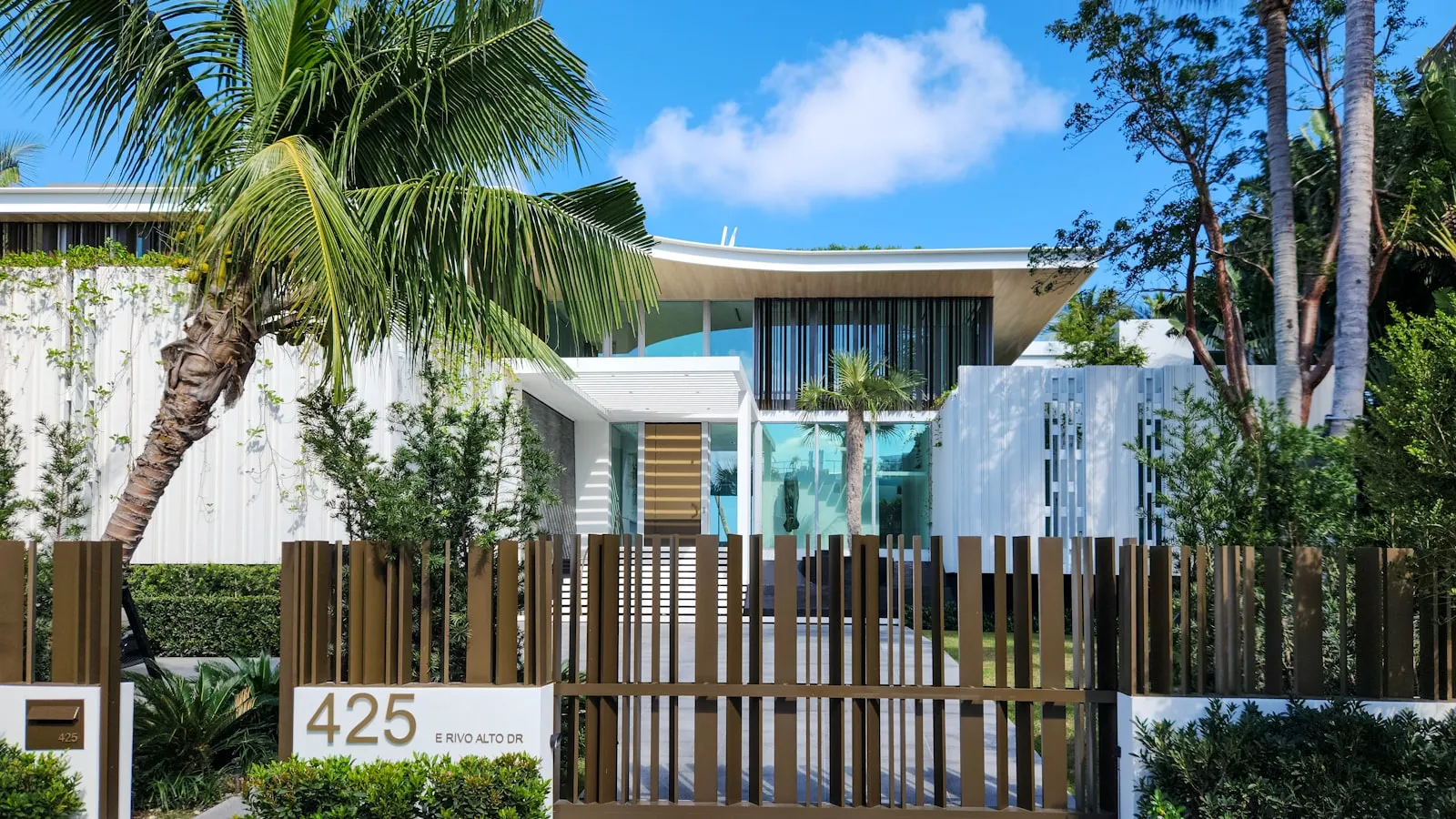
HomeLink usually stops working for one of five reasons, and the most common by far is rolling-code drift between your visor button and the opener — a 60-second re-pair on the LEARN button fixes it. You pull up to the gate, press the visor button that’s opened it for three years, and nothing happens. Before you blame the button, check the gate side: if a handheld clicker also fails, the problem is the opener, not HomeLink.
This piece is the diagnostic for that moment.
HomeLink failures are common enough that every gate installer has a memorized order in which to check them, but the order is not the one most homeowners reach for. The first instinct is usually “the visor button is broken.” It rarely is. There are five real causes, and they account for roughly 95% of cases.
Before anything else: check the gate side
If a handheld clicker also fails to open the gate, the visor button is not the problem. Test with the original handheld remote (or any paired remote) before assuming HomeLink is the failure point. A dead opener, a tripped breaker, or a receiver that lost power affects every trigger device — clicker, HomeLink, keypad, app — equally.
If the handheld works and HomeLink doesn’t, you’re now in the right diagnostic territory. Read on.
1. Rolling-code resync (most common)
The single biggest cause. Modern residential openers use a rolling-code algorithm — LiftMaster Security+, Security+ 2.0, Genie Intellicode, Chamberlain Security+ — where each press transmits a new, single-use code. The visor module and the opener maintain synchronized counters. If those counters drift apart — usually because the visor button was pressed dozens of times out of range, or the opener was unpowered for a stretch — the receiver stops accepting the codes.
Fix: re-pair via the LEARN button on the opener.
- Open the operator’s cover and find the LEARN button on the control board or motor housing. The color varies by era (orange, purple, yellow, green, or red).
- Press and release LEARN. A small LED stays lit, usually for 30 seconds.
- Within that window, press and hold the HomeLink button you want to assign until the opener’s LED blinks or clicks.
- Release. Test from the driver’s seat.
The whole procedure takes about 60 seconds. If this fixes it, you’ve resynced the rolling codes; the symptom often comes back every 12-18 months on the same gate, particularly if the opener is power-cycled by an outage.
One distinction is worth drawing here, because it trips people up. The LEARN-button sequence above re-syncs a channel HomeLink has already been trained on, so it needs no remote. Training a channel for the first time does need one: HomeLink works by capturing the radio signal from a working hand-held remote and reproducing it, and the LEARN button cannot supply that signal. A recurring root cause of “HomeLink won’t pair” is an owner trying to train from a cheap third-party clicker, which often can’t hand HomeLink a clean enough signal to capture. If the original remote is gone, follow your opener manufacturer’s guidance for obtaining a replacement rather than trying to skip the step.
2. Frequency mismatch
US residential openers use one of three bands:
- 315 MHz — LiftMaster/Chamberlain Security+ (the purple-LEARN-button era, roughly 2005-2011), older Stanley
- 390 MHz — older LiftMaster/Chamberlain Security+ rolling code (red/orange LEARN button)
- 310/315/390 MHz tri-band — LiftMaster/Chamberlain Security+ 2.0, the yellow-LEARN-button generation from 2011 on
- 433 MHz — most European brands (FAAC, Nice, BFT, CAME) and some Genie and Linear models
On LiftMaster and Chamberlain units, the LEARN-button color is the fastest way to read the generation without hunting for a label.
HomeLink itself covers radio devices operating between 288 and 433 MHz, but the band a specific car can reach depends on its year, make, and even trim. Per HomeLink’s own compatibility note, only select 2007-and-newer vehicles reach the full 433 MHz upper range — older modules top out lower, which is why an otherwise-supported gate at 433 MHz can refuse to pair in a pre-2007 car. Some early modules also don’t fully cover Security+ 2.0’s 310/315/390 MHz tri-band scheme. If the bands don’t intersect, pairing fails silently — the visor LED blinks confirmation, but nothing reaches the opener.
Diagnostic: check two things.
- The opener’s receiver frequency — printed on the receiver itself or in the manual.
- The vehicle’s HomeLink compatibility chart — search the manufacturer’s website for “HomeLink compatibility” plus your year and model.
If the frequencies don’t match, no amount of re-pairing will help. The fix is a Wi-Fi-bridge module on the opener (myQ, NoiseAware-style, or universal smart-gate bridges) or a different trigger device — see the section on alternatives.
3. Range and line-of-sight problems
HomeLink broadcasts from inside the car, through the windshield, across however much distance separates the visor from the opener’s receiver. Three things degrade this path:
- Metallic windshield coatings — many luxury vehicles and some Teslas have IR-reflective coatings or heater elements in the glass that attenuate radio. Some manufacturers leave a “transponder window” near the rearview mirror; HomeLink usually transmits through this area, not the center of the visor.
- Distance and foliage — a 75-foot driveway with a heavy tree canopy can cut the usable signal in half. Wet leaves are worse than dry ones.
- Other 315/390/433 MHz traffic — newer Wi-Fi mesh nodes, electric-vehicle charge controllers, and even some doorbell systems share these bands. Interference is intermittent, which is why HomeLink works at noon and fails at 11 PM.
- LED bulbs in the opener head — this one surprises people. Owners consistently report that inexpensive LED bulbs screwed into the opener’s own light sockets put out enough radio noise to swamp the receiver. The tell is specific: the gate or door responds only when the opener light is off, and goes deaf the moment the light is on. Pulling the bulb to test it is free; the fix is swapping to a bulb rated for garage-door openers.
Diagnostic: roll closer to the gate. If HomeLink works at 20 feet but not at 60, you have a range issue, not a code issue. A recurring pattern owners hit is that usable range collapses to roughly 10 feet — close enough to pair, too short to be useful from the street. Before blaming the module, confirm the opener’s antenna wire is hanging straight and fully extended, not coiled up inside the housing. A range extender on the opener side, or moving the opener’s antenna to a higher mount, often recovers the rest.
The “paired but won’t trigger” trap
There’s a distinct failure that looks like a code problem but isn’t. You run the pairing, the opener flashes its light to confirm it accepted the visor — and then the button still does nothing. Owners hit this constantly and assume the pairing failed; it didn’t. When the pair confirms but the door won’t move, the cause is almost always on the trigger path, not the credential: an LED bulb jamming the receiver, the car not fully awake (on many vehicles HomeLink only transmits with the ignition or accessory power on), or the usable range being shorter than where the car is parked. Isolate it by standing directly under the motor with the car awake and pressing the button. If it fires up close, you have interference or range — not a pairing fault — and re-pairing for the fourth time won’t help.
4. Receiver-side failure
The opener’s radio receiver can fail independently of the motor. Common signs: LED on the control board doesn’t light when any remote is pressed, no audible click from the relay, all trigger devices fail simultaneously. Receivers fail more often after power surges (lightning, utility brownouts), and the symptom can look exactly like a HomeLink-only problem if the homeowner only tests with HomeLink.
Diagnostic: check the LED behavior on the opener with any handheld clicker. If the LED does not respond to any remote, the receiver is the failure point, not the visor.
Receivers are typically replaceable on the same control board for $40-80 in parts. For older boards where receiver replacement isn’t an option, a universal aftermarket receiver wired into the opener’s OPEN terminals works just as well — see how a residential gate opener actually works for the terminal-block side of this.
5. The module itself
HomeLink modules do fail, but less often than the other four causes. There’s no battery to die; the module draws power from the car. What does fail: the antenna trace (cracks from thermal cycling over 10-15 years), the firmware on older modules after a 12V system reset, or — rarely — water damage from a leaking sunroof seal.
Diagnostic: if HomeLink shows no LED activity at all when buttons are pressed, the module is dead or unpowered. Check the car’s fuse for “interior accessory” or “rearview mirror” depending on year and make. If the fuse is intact and the module is dead, replacement requires a trip to the dealer or an authorized HomeLink installer.
When to stop fighting HomeLink
If you’ve re-paired three times in a year, the problem isn’t the procedure. The problem is that HomeLink, as a 1990s-era radio architecture, is being asked to do a job that the rest of the home’s connected stack outgrew years ago. A few alternatives to HomeLink worth knowing about:
- Hard-wired Wi-Fi modules (myQ for Chamberlain/LiftMaster, FAAC SimplyConnect, similar bridges for Nice and DoorKing) wire into the opener’s terminal block and bypass the radio entirely. They depend on home Wi-Fi reaching the gate, which on long driveways is often worse than the radio path.
- Geofence apps open the gate when your phone enters a defined radius. Reliability depends on the phone being awake and connected; in practice, most users keep a handheld clicker as backup.
- Vehicle credentials — the car itself becomes the trigger, with no visor button and no phone foreground requirement. Proxly is one company building this model specifically for residential driveway gates, using the car’s existing presence signal to open the gate as it arrives.
None of these are universally better than HomeLink. They have their own failure modes (Wi-Fi outages, app version drift, phone settings). But if HomeLink has needed three resync trips this year, the math has shifted, and one of the alternatives is probably the more durable answer.
A quick decision tree
When the gate doesn’t open and you have 30 seconds before the car behind you honks:
- Handheld clicker works? If no, it’s the opener or receiver — not HomeLink.
- HomeLink LED blinks when you press? If no, the module is unpowered. Check the fuse.
- You’re within 20 feet of the gate? If no, range. Roll closer.
- You’ve re-paired in the last 90 days? If no, do that — rolling-code resync fixes most.
- None of the above? Frequency mismatch or receiver failure. Either case, the opener side needs attention.
The handheld in the glovebox will get you home tonight. Tomorrow morning, the re-pair on the LEARN button is where to start.
Frequently asked questions
- Almost always one of three things: the rolling-code counters between your visor and the opener drifted out of sync (most common), the opener's receiver lost power briefly and forgot its paired remotes (less common), or a nearby radio source is jamming the band (rare, but real). Re-pair via the LEARN button first; that resolves the first two.
- No. HomeLink is wired into the car's electrical system and draws power from it. There is no coin cell to replace, which is one reason the failure modes are different from a handheld clicker. If HomeLink is completely dead with no LED at all, the issue is the car's wiring or the module itself, not a battery.
- Open the gate operator's cover and read the receiver label, or check the model number against the manufacturer's spec sheet. On LiftMaster and Chamberlain units the LEARN-button color is the quick read: yellow is Security+ 2.0 (310/315/390 MHz tri-band), purple is Security+ at 315 MHz, red or orange is older Security+ at 390 MHz, green is the 1990s Billion Code at 390 MHz. Most European brands and some Genie/Linear models run at 433 MHz. The opener's manual lists the frequency explicitly.
- The two devices likely use different frequencies or security protocols. HomeLink can hold three independent channels, each paired to a different device. If the gate's frequency or rolling-code system isn't supported by your specific HomeLink module — for example, a 433 MHz gate in a car older than 2007, since only select 2007-and-newer vehicles reach 433 MHz — the gate pair will silently fail to hold.
- No. HomeLink learns by capturing the radio signal from a working hand-held remote and reproducing it, so a remote is required for the first step. The opener's LEARN button does not replace that step. It completes the second step, the rolling-code sync, after HomeLink has already captured the signal. If the original remote is lost, follow your opener manufacturer's guidance for obtaining a replacement and train HomeLink from that. For vehicle-specific sequences, HomeLink directs owners to homelink.com/program or 1-800-355-3515.
- This is one of the most common patterns owners report, and it's reassuring once you know it: the pairing actually succeeded. When the opener confirms the pair but the door won't move, the problem is on the trigger path, not the credential. Three usual suspects: an LED bulb in the opener head jamming the receiver, the car not being fully awake (many vehicles only transmit HomeLink with the ignition or accessory power on), or the usable range being shorter than where you're parked. Stand directly under the motor with the car awake and press the button — if it fires up close, you have interference or range, not a pairing fault, and re-pairing again won't fix it.
- Yes, and owners hit this more than they'd expect. Inexpensive LED bulbs screwed into the opener's own light sockets can put out enough radio noise to drown the receiver. The signature is specific: the gate or door responds only when the opener light is off and goes deaf when it's on. Pulling the bulb to test costs nothing, and bulbs rated for garage-door openers are the durable fix.
- Yes. On most rolling-code openers you don't need any remote at all — pair straight from the opener's LEARN button. Owners consistently get stuck here because they try to teach HomeLink from a cheap third-party clicker after losing the original, and on rolling-code systems that often can't hand HomeLink a clean enough signal to capture. Skip the aftermarket remote and use the LEARN-button method on the motor head instead.
- There's no hard limit, but if you're re-pairing more than twice a year, the problem isn't the visor button — it's the architecture. Long driveways, dense foliage, or windshields with metallic coatings make the radio path unreliable. At that point, a hard-wired Wi-Fi module on the opener or a vehicle-credential system that bypasses the receiver entirely is a more durable answer than fighting the radio.
Why did my HomeLink suddenly stop working when nothing changed?
Does HomeLink have its own battery?
How do I know what frequency my gate opener uses?
My HomeLink works for my garage door but not my gate. Why?
Can I program HomeLink without the original handheld remote?
The opener flashed to confirm the pairing, but the button still won't open the gate. What now?
Can an LED bulb in my opener really stop HomeLink from working?
I lost the original gate remote — can I still program HomeLink?
How many times can I re-pair HomeLink before it's time to give up on it?
Keep reading

Infiniti QX60 and QX80 HomeLink: Programming a Driveway Gate
Infiniti QX60 and QX80 have three HomeLink buttons in the overhead console. For a driveway gate, you need a two-step process: train from the remote, then sync rolling code at the LEARN button.
How to Pair HomeLink to a CAME Gate Opener
CAME gate openers use 433.92 MHz and their own rolling code. Here is how to pair HomeLink — and why the receiver's LEARN button is the step most guides skip.
Which Cars Have HomeLink? A Make-by-Make Reference for 2026
HomeLink availability depends more on trim than model. This reference lists which cars include it factory-fitted in 2026, and what to do if yours doesn't.