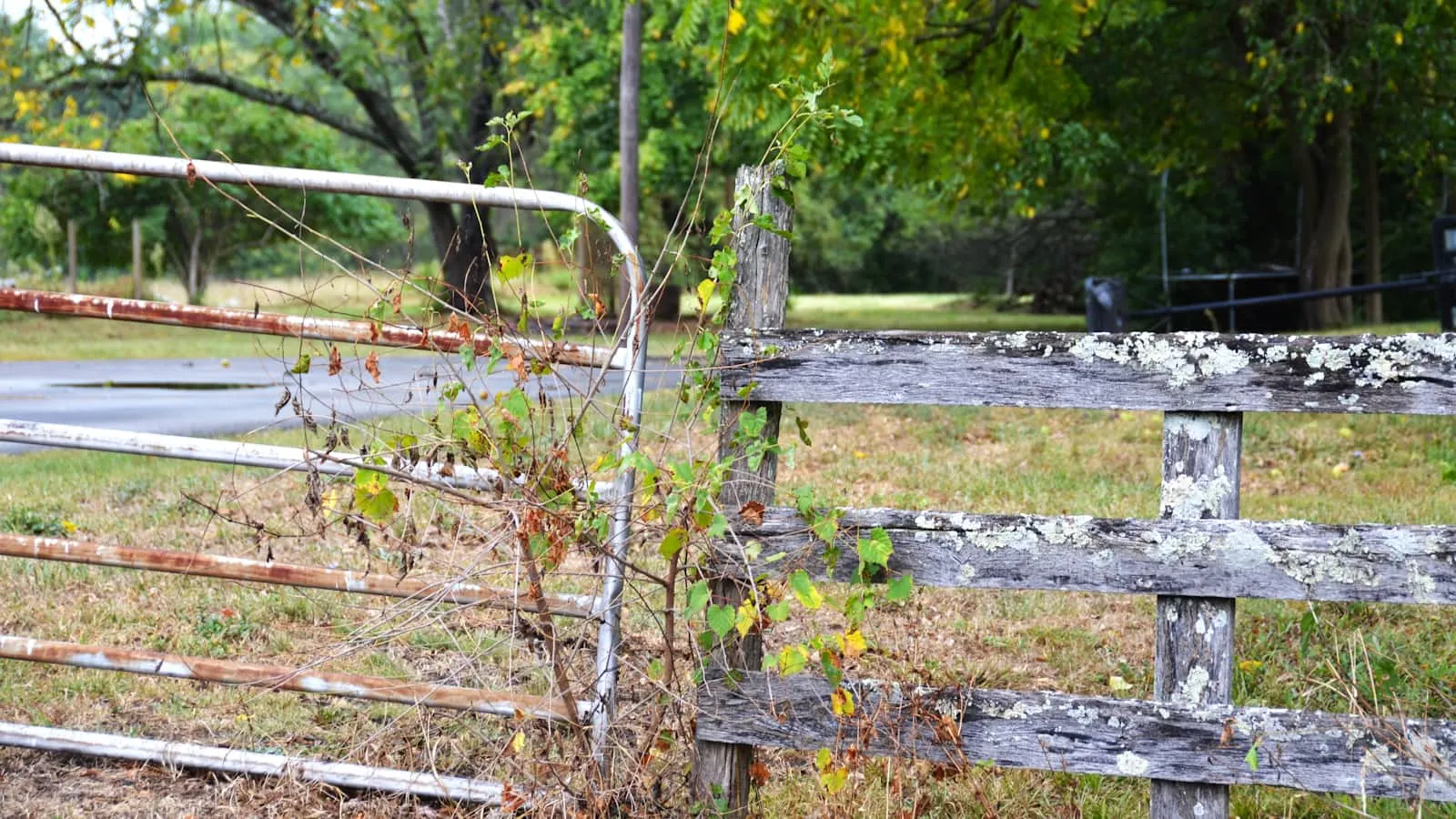
A gate that stops and reverses before fully closing is almost always triggered by the obstacle-detection safety circuit. Here is how to diagnose the cause and fix it without a service call.
What the Safety Circuit Is Doing
Residential gate operators include at least two layers of obstruction protection required by UL 325, the standard that governs automatic gate systems in the US.
The first layer is the photo-eye: a transmitter and receiver mounted on opposing gate posts or on the gate arm. When the receiver loses the infrared beam mid-cycle, the operator assumes something is crossing the gate path and reverses.
The second layer is the force limit: a current or pressure threshold built into the control board. When the motor meets more resistance than the calibrated limit allows — from a binding hinge, a sagging gate, or a sensitivity dial set too tight — it reverses.
Both systems are designed to prevent entrapment. Both produce the same symptom: gate stops somewhere between fully open and fully closed, then backs up. The distinction between causes is what changes the fix.
The Four Most Common Causes
1. Photo-eye misalignment or obstruction
This is the first thing to check. On most residential operators, the photo-eye receiver has a status LED. On LiftMaster and Chamberlain units, a steady green LED means the beam is aligned and the path is clear. Amber, red, or blinking indicates interrupted or misaligned.
Spiderwebs, rain-blown debris, morning condensation, and vibration from a windy gate post are all enough to misalign or obstruct the eyes. A common observation: the receiver eye rotates slightly on its mount over months of gate cycles until the beam grazes the transmitter rather than hitting its center.
To test: hold a piece of cardboard in front of the receiver. If the gate reverses immediately when the eye is blocked, the safety input is active. If nothing changes when the eye is covered, the eye circuit may not be connected — or has already been bypassed, which disables entrapment protection.
To realign: loosen the eye mount, aim the receiver directly at the transmitter across the gate opening, then snug the mount. On openings wider than 12 feet, inspect the mounting bracket for sag that has tilted the eye over time.
2. Close-force sensitivity set too tight
Every gate operator has a force threshold — the resistance level at which it declares an obstruction and reverses. On LiftMaster slide gate operators such as the CSW24UL, close-force adjustment is typically a small potentiometer on the logic board, labeled CLOSE FORCE or CF.
When the gate has mechanical friction from worn nylon rollers, a bent rack tooth, or seasonal expansion in cold weather, and the force dial is near minimum, the operator hits the threshold before the gate reaches the close limit. It reads normal mechanical drag as an obstruction and reverses.
Test: move the close-force adjustment one small increment clockwise (increasing force tolerance). Run the gate once. If the reversal moves closer to the fully-closed position, the cause is confirmed. Do not run the force limit to its maximum — set it at the lowest point that reliably closes the gate, to preserve the safety margin.
3. Close limit set too short
The close limit tells the operator where “fully closed” is. On slide gate operators, the limit is typically a magnetic sensor triggered by a bracket mounted on the gate rail. On swing gate operators, it may be a cam switch or electronic position counter.
If the close limit is set past the gate’s actual physical stop, the gate physically hits the post before the operator receives the “closed” signal. The motor keeps pushing, encounters the post, the force sensor trips, and the gate reverses.
Test: watch the exact point of reversal. If the gate reverses within the last few inches of its travel — nearly against the close stop — the limit is likely set slightly past the gate’s physical end point. Walk the limit adjustment backward in small increments until the gate rests cleanly against the close stop without strain.
4. Gate mechanics: binding, sagging, or track debris
If the three control-side causes check out, inspect the gate’s mechanical condition.
For slide gates: look at the track. Stones, compacted mud, or a displaced track bolt create a point of resistance the motor hits at the same location every cycle. A bent rack tooth spikes the motor load at the same spot. Slide the gate manually from fully open to fully closed and feel for any point where it catches or stiffens.
For swing gates: inspect each hinge for rust or seizure. A swing gate that has settled and now drags the ground — common after wet seasons when soil swells — builds resistance toward the end of the closing arc. Also check the actuator arm’s pivot bracket for any looseness or binding.
Understanding the full drive-system picture — how the motor output, limit circuit, and safety inputs interact — is covered in how a residential gate opener actually works.
Diagnosis Sequence
Work through these in order. The earlier steps take 60 seconds and fix the majority of cases.
- Look at the photo-eye receiver LED. Green means aligned and clear. Amber, red, or off means investigate the eye first before anything else.
- If eyes show green, push the gate closed manually. Mark the exact point where it normally reverses. A smooth manual close means the cause is in the control system, not the gate hardware.
- Try one small close-force adjustment — one increment clockwise — and run the gate once.
- If the reversal moves only slightly toward fully closed, adjust the close limit backward.
- If the gate felt rough on manual push, inspect the track, hinges, and rack before touching any control settings.
For a broader set of gate opener failures — including cases where the gate won’t open at all — a 12-step gate opener diagnostic walks through every component from the power outlet to the motor output terminals.
When a Service Call Makes Sense
Two situations call for a technician: when the control board itself has failed (force and limit adjustments have no effect and the photo-eyes are confirmed good), and when the gate structure has moved significantly — a leaning post, a bent gate frame — requiring hardware repair before any control adjustment will hold.
A new control board for a common residential gate operator (LiftMaster CSW24UL, FAAC 400 series, DoorKing 1830 series) typically runs $80–$250 in parts. The diagnostic steps above are the same four things a technician checks in the same order; completing them before the call saves 30–45 minutes of billable time.
After the Gate Closes Reliably
A gate that was reversing erratically is often showing an early sign of deferred maintenance — not just the immediate cause. Once the reversal is fixed, it is worth inspecting the rollers, lubricating the hinges, and checking the control board for corrosion, particularly on operators more than five years old.
If the reversal problem is compounding a vehicle-pairing or HomeLink issue at the same gate, the credential side of the problem operates independently from the mechanical side. Why HomeLink stops working with your driveway gate covers the RF side of the same situation.
For owners who are tired of the recurring diagnostic cycle — or who want to remove the manual-trigger problem from the equation entirely — there is a newer approach to gate access where the car itself becomes the credential, with the gate opening 300 feet before arrival. Proxly is building that model for residential driveway gates and is currently in pre-launch.
References
- LiftMaster Support — Installation Manuals and Diagnostic Guides — operator manuals for the CSW24UL and related slide and swing gate operators.
- UL 325, Standard for Safety: Door, Drapery, Gate, Louver, and Window Operators and Systems — Underwriters Laboratories. Governs entrapment-protection requirements for residential gate operators in the US.
Frequently asked questions
- The most common cause is a photo-eye that has lost beam alignment — spiderwebs, debris, or a slow rotation of the mount over months of gate cycles are enough. The second most common cause is a close-force sensitivity setting that is too tight for the gate's current mechanical condition. Checking the receiver LED is the fastest first step.
- On most LiftMaster slide gate operators, close-force is a small potentiometer on the logic board, often labeled CF or CLOSE FORCE. Turn it one increment clockwise to increase force tolerance, then run one test cycle. Only increase enough to achieve reliable closing — leaving margin preserves the entrapment-detection function.
- Yes, in most cases. Photo-eye realignment, force calibration, and limit adjustment are all accessible without special tools and without opening the motor housing. The two scenarios that typically require a technician are a failed control board and structural gate movement — a leaning post or bent gate frame — that requires hardware repair beyond adjustment.
- A consistent, repeatable reversal almost always points to a mechanical cause at that location: debris in the track, a bent rack tooth, a binding hinge, or the close limit set just past the gate's physical stop. An inconsistent reversal — varying location each cycle — points more to the photo-eye or a force setting sitting near its threshold.
Why does my gate reverse before it's fully closed?
How do I adjust the force setting on a LiftMaster gate opener?
Can a gate reversal problem be fixed without a service call?
What does it mean when my gate reverses at the same spot every cycle?
Keep reading
Why How You Open Your Garage Door Actually Matters
Most car owners don't think about how they open their garage door. After 1,000 button presses a year, they should. Here's the convenience and security case.

Replacing a Dead Gate-Opener Battery (12V vs 24V)
A dead backup battery is the most overlooked cause of a gate opener that stops working during a power cut. Here is how to identify the right replacement and install it safely.
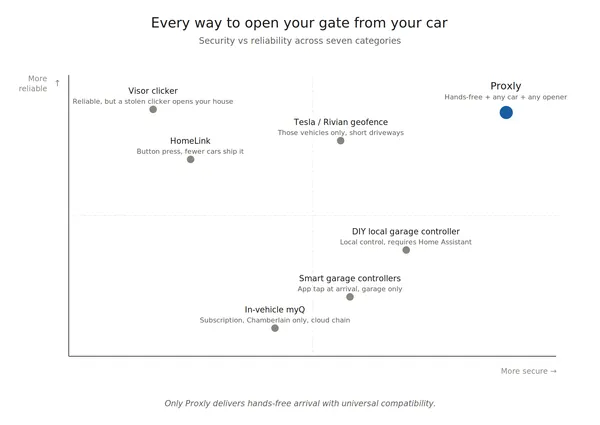
Every Way to Open Your Gate or Garage From Your Car in 2026
Seven categories of solutions for opening your gate or garage from your car — honest pros and cons, the security note no one mentions, and a side-by-side comparison.